15
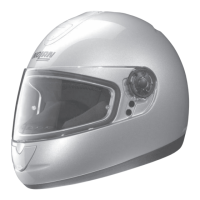
To activate the VPS, push the slider forward (Fig. 9A) until you hear the click, which means
the slider and VPS are correctly in place.
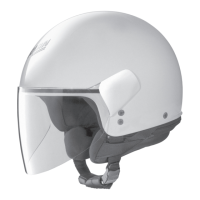
To activate the VPS, push the slider towards the back of the helmet (Fig. 9B) until you hear
the click, which means the slider and VPS are correctly in place.
The VPS has been designed to ensure an easy, quick and tool-free disassembly.
Precautions for use
The current approval standards (EEC 22-05) state that the minimum light transmittance lev-
els must be greater than 80% when riding at night and not less than 50% when riding dur-
ing the day. For this reason, when riding during the day under particularly bright weather con-
ditions, e.g. very strong sunlight caused by high intensity and/or incidence of the sunbeams,
the use of sunglasses - which have a transmittance much lower than 50% - turns out to be
advisable, if not absolutely necessary, to reduce eye fatigue on long trips. Sunglasses reduce
the risk of direct dazzling as opposed to the use of mere approved visors. However, the use
of sunglasses makes it difficult to perform in emergency situations when the maximum visi-
bility range of the visor must be quickly restored. Just think, for example, of what happens
when you enter a tunnel or when unexpected changes in environmental brightness occur.
Thanks to its operating mechanism, the VPS makes these operations much easier.
WARNING
- The VPS can be used only during the day and under the environmental conditions
described before.
- At night and/or in conditions of scarce visibility, the VPS MUST be deactivated.
- Always check that the VPS is properly positioned according to the different weather/envi-
ronmental conditions and/or to the above mentioned recommendations for use.
- We recommend using the VPS only and solely together with the approved standard visor,
which has a transmittance value greater than 80%.
- The VPS doesn’t replace the protection guaranteed by the visor.
- Always make sure that the VPS is clean and that it is operating properly in order to avoid
scratches and/or anomalous wear on it every time it is activated.
- Please refer to the proper section in the helmet user’s manual for the VPS and visor main-
tenance and cleaning operations.
- The VPS antifog/antiscratch treatment remarkably reduces fogging. Protracted periods
of adverse weather and/or environmental conditions might cause fogging and/or forma-
tion of condensation on the VPS, which entails a reduction of visibility and/or sharpness
of vision: In this case, deactivate the VPS.
- In case of rain, the direct contact of raindrops with the antifog/antiscratch-treated VPS
quickly reduces sharpness of vision, thus causing scarce visibility: In this case, deacti-
vate the VPS.
- The special VPS antifog treatment is usually sensitive to high temperatures or heat
sources. In this case, contaminations caused by contact with other materials might
occur. These contaminations will cause marks and stains to develop. In these cases (e.g.
when the helmet is kept in the top case on hot days), it is recommended to make sure
the visor is not touching other materials.
VPS DISASSEMBLY INSTRUCTIONS
To remove the VPS system from the helmet, open the chin guard and lower the VPS by push-
ing the side slider towards the back of the helmet (Fig. 9B).
Hold the right lateral part of the VPS and lift the VPS to the outside of the helmet (Fig. 10).
Repeat the same operation on the left side of the helmet.


 To Next Page