How do I put my NOMA iQ
TM
smart air purifier into pairing mode?
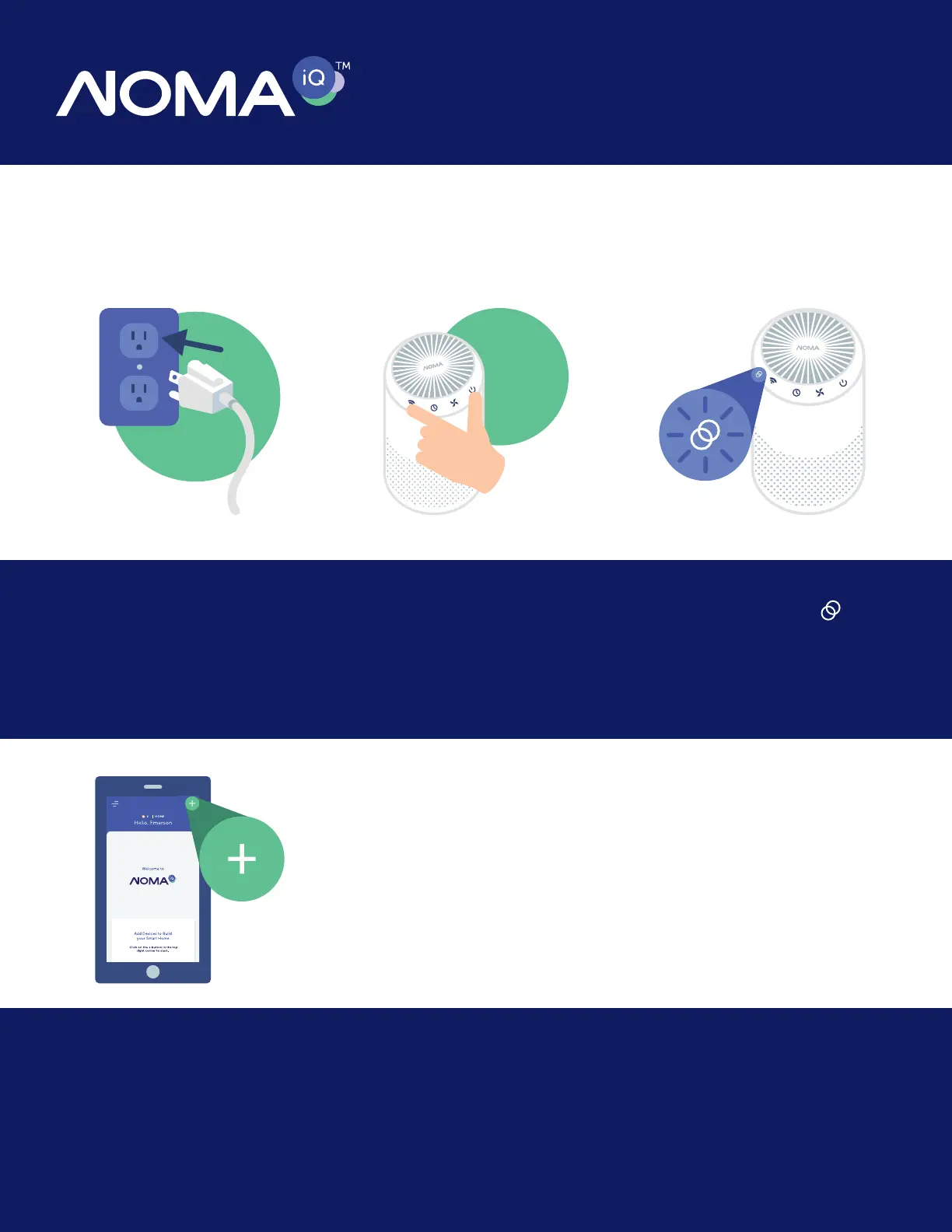
Step 1:
Plug your NOMA iQ
TM
smart
air purifier into an electrical
outlet.
Step 4:
Open the NOMA iQ
TM
app
on your mobile device and
click the plus (+) icon at the
top right corner of the home
screen to pair the device.
Step 2:
Press and hold the
power and Wi-Fi buttons
simultaneously until you
hear 5 beeps.
Step 3:
The Connected icon will
flash on and off to indicate
the device is in pairing
mode.
X5
Beep


 To Next Page