2 3
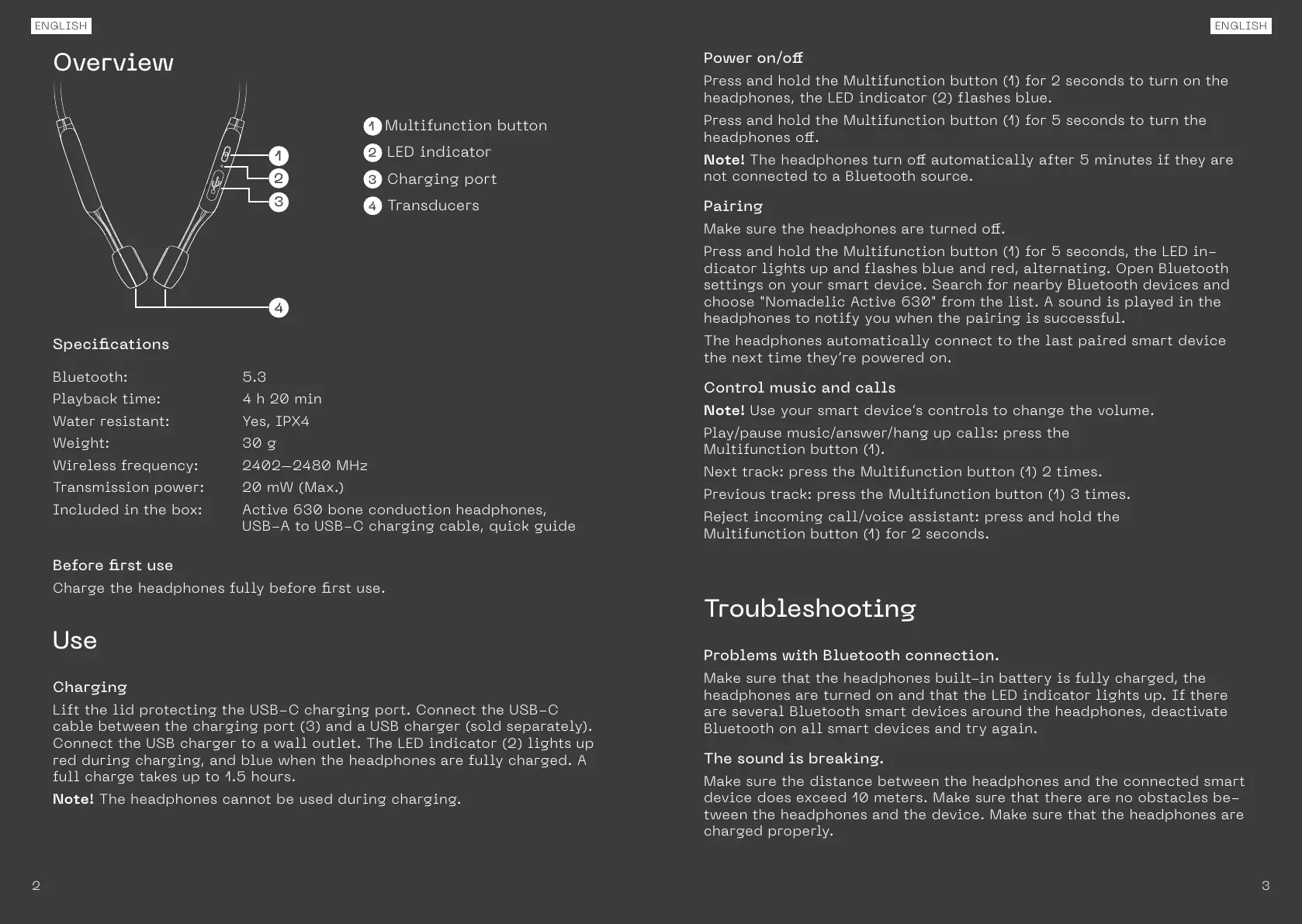
1 Multifunction button
2 LED indicator
3 Charging port
4 Transducers
1
2
3
4
Specications
Bluetooth: 5.3
Playback time: 4 h 20 min
Water resistant: Yes, IPX4
Weight: 30 g
Wireless frequency: 2402–2480 MHz
Transmission power: 20 mW (Max.)
Included in the box: Active 630 bone conduction headphones,
USB-A to USB-C charging cable, quick guide
Before rst use
Charge the headphones fully before rst use.
Use
Charging
Lift the lid protecting the USB-C charging port. Connect the USB-C
cable between the charging port (3) and a USB charger (sold separately).
Connect the USB charger to a wall outlet. The LED indicator (2) lights up
red during charging, and blue when the headphones are fully charged. A
full charge takes up to 1.5 hours.
Note! The headphones cannot be used during charging.
ENGLISHENGLISH
Overview
Power on/o
Press and hold the Multifunction button (1) for 2 seconds to turn on the
headphones, the LED indicator (2) flashes blue.
Press and hold the Multifunction button (1) for 5 seconds to turn the
headphones o.
Note! The headphones turn o automatically after 5 minutes if they are
not connected to a Bluetooth source.
Pairing
Make sure the headphones are turned o.
Press and hold the Multifunction button (1) for 5 seconds, the LED in-
dicator lights up and flashes blue and red, alternating. Open Bluetooth
settings on your smart device. Search for nearby Bluetooth devices and
choose "Nomadelic Active 630" from the list. A sound is played in the
headphones to notify you when the pairing is successful.
The headphones automatically connect to the last paired smart device
the next time they’re powered on.
Control music and calls
Note! Use your smart device’s controls to change the volume.
Play/pause music/answer/hang up calls: press the
Multifunction button (1).
Next track: press the Multifunction button (1) 2 times.
Previous track: press the Multifunction button (1) 3 times.
Reject incoming call/voice assistant: press and hold the
Multifunction button (1) for 2 seconds.
Troubleshooting
Problems with Bluetooth connection.
Make sure that the headphones built-in battery is fully charged, the
headphones are turned on and that the LED indicator lights up. If there
are several Bluetooth smart devices around the headphones, deactivate
Bluetooth on all smart devices and try again.
The sound is breaking.
Make sure the distance between the headphones and the connected smart
device does exceed 10 meters. Make sure that there are no obstacles be-
tween the headphones and the device. Make sure that the headphones are
charged properly.


 To Next Page
 Loading...