2. Drag the item to delete.
2.8
WLAN setting
Main menu→Set→WLAN
·WLAN: turn on or off WLAN function.
·Network notification: set the mobile phone as “Notify the user if
there is an open network nearby”.
·WLAN network: search surrounding wireless networks:
1. Press Set→WLAN
2. Select and turn on WLAN. The mobile phone will scan and
search the available WLAN network and list the found WLAN
network names in the WLAN network list.
3. Click and press a network to connect.
4. If the network is protected, the system will prompt to enter the
password. Consult the network service provider or administrator for
concrete details.
2.8.1 Delete WLAN network
You can make the mobile phone not store the remembered WLAN
network details.
1. Turn on WLAN function.
2. Click and press the connected network name in the WLAN
setting screen.
3. Click in the opened WLAN dialog box to cancel the stored.
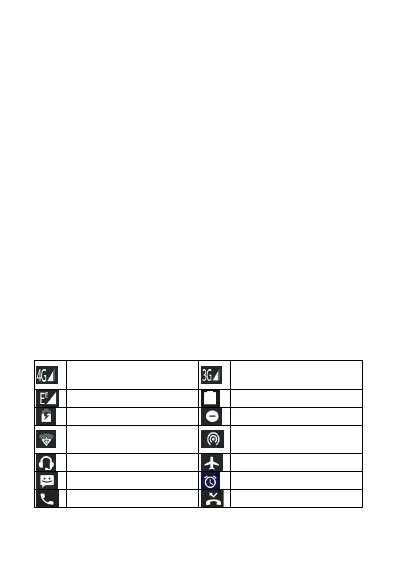
2.9 Phone Operating Status
4G network signal
strength
3G network signal
strength
Open the portable WLAN
hotspot


 To Next Page
 Loading...
