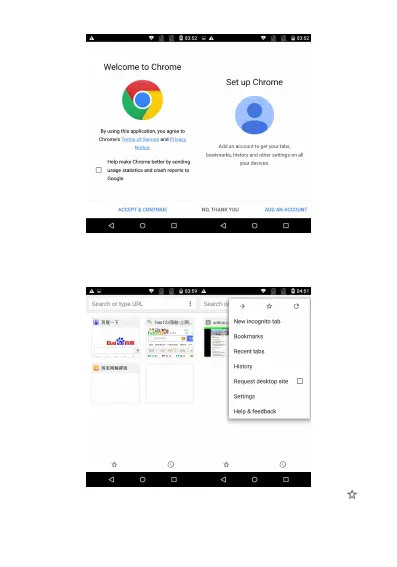
2. Enter the “Set Chrome” interface and add an account so as to
obtain all tabs opened at present, saved bookmarks, histories and
other settings on your equipment. If no Google account is applied,
you can also directly click “No, thanks” to continue.
3. Display the collected bookmarks on the home page, click
to view the saved bookmarks and the mobile device bookmarks;



 To Next Page