Sound Generation
25
▶
Sweep the Encoder across the entire value range and dial in the default
value [ 50.0 st ].
ߊ When increasing resonance values, you will hear frequencies around the
cuto setting becoming increasingly edgier and more pronounced. Cuto
and resonance are the most eective filter parameters.
߃
Excursion – Controlling the current Parameter using Ribbon 1
Sometimes, it can be more useful (or funnier) to control a parameter using a ribbon
controller rather than an encoder. This is useful when performing with the parameter
as well as adjusting values very accurately.
To assign a Ribbon to a specific parameter (here the Cuto of the S.V. Filter), simply:
▶
Press Cuto (State Variable Filter).
▶
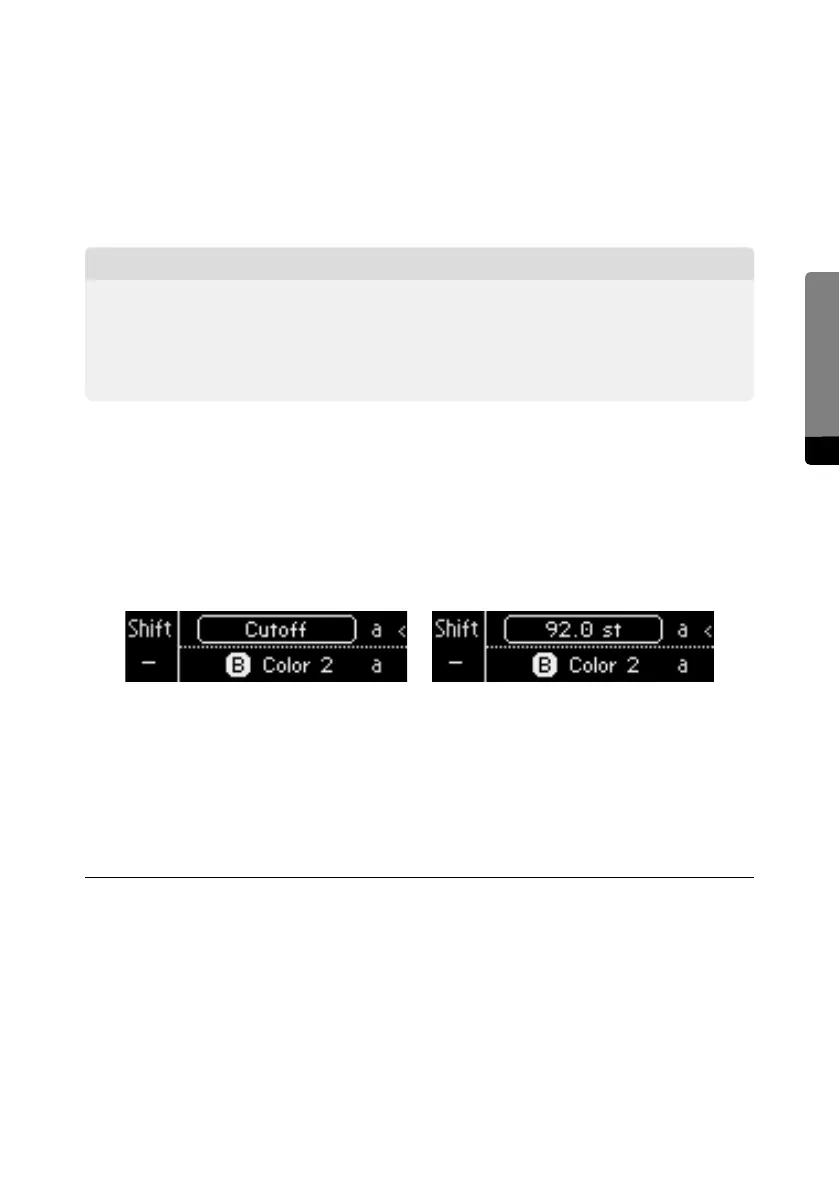
Press Mode (Base Unit Control Panel) until the Base Unit Display shows
Cuto. This mode is also called Edit Mode.
▶
Slide your finger across RIBBON 1.
ߊ The parameter currently selected (Cuto) is now controlled by RIBBON 1,
or your finger tip
྇
When using the C15’s Macro Controls, the Ribbons / Pedals can control various
parameters at the same time. This very interesting topic will be covered in a
later tutorial. Stay tuned.
Exploring some of the more advanced S.V. Filter parameters:
྇
Our word of advice: No matter whether you are familiar with filters in general
or not, please grab the user manual and take some time to study all those
flashy S.V. Filter parameters in detail.


 To Next Page