91
TUNER OPERATION USB/MP3 Playback
1. Loading USB equipment
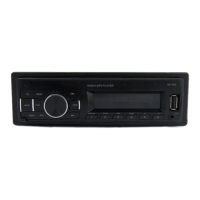
Open the rubber cap, insert the USB into the
connector and the unit play the music in the
USB storer automatically, and the LCD will
show USB.
2. Take out USB equipment
Push the SRC button and switch to non USB
mode, then take off the USB storer, close the
rubber cap.
USB Notes
USB functions (ash memory type) MP3 music
play
1. USB ash memory support.
2. Fat 12/fat 16/fat 32 is possible.
3. File name : 32 byte/dir name : 32 byte/tag
name : 32 byte
4. Tag (ID3 tag ver 2.0)
- title/artist/album : 32 byte support.
5. USB 1.1 support, USB 2.0 support (It can
not support USB 2.0 speed. Just, get the
same speed with USB 1.1).
Not all kinds of USB devices are compatible
with the unit.
Note:
Not all USB devices are compatible with the
unit.
Band
During radio play, press the [BAND] button to
choose between three FM, two MW bands.
Up Tuning
Press the seek up [ ] button to tune
stations upward step-by-step. The current
frequency will be shown in digital format on
the display panel.
Press and hold the seek [ ] button to the
next available station.
Down Tuning
Press the seek down [ ] button to tune
stations downward step-by-step.
Press and hold the seek down [ ] button
to the previous available station.
Auto Memory Store
Press the [AMS] button to automatically select
six stations and store them in the current
band. The new stations replace stations
already stored in that band.


 To Next Page
 Loading...