NORDAC Control and Parameter Boxes
22 Subject to technical alterations BU 0040 GB-1611
Changing parameter values
To access the parameter section, one of the value keys,
or must be pressed. The display changes to the
menu group display
P 0 _ _ ... P 7 _ _ . After pressing the ENTER key
OK
, access to the menu group is obtained
and the required parameter can be selected with the value keys.
All parameters are arranged in order in the individual menu groups in a continuous scroll pattern. It is therefore
possible to scroll forwards and backwards within this section.
Each parameter has a parameter number Æ
P x x x . The significance and description of the parameters starts in
Section 5 "Parameterisation"
NOTE: Some parameters, e.g.: P465, P475, P480…P483, P502, P510, P534, P701…P706, P707, P718,
P740/741 and P748 (depending on the inverter series) have additional levels (arrays), in which
further settings can be made, e.g.:
P_01
P502
P_02
off
off
Setting:
Value of master function 1
Setting:
Value of master fu nction 2
ENTER
ENTER
ENTER
ALUE
P1
P2
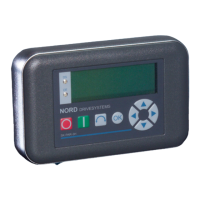
NORD DRIVESYSTEMS
O
SK CSX-3H
Select menu group
or
display parameter value or
adopt parameter value
Select function
Next menu group or
parameter number
Value -
Load factory setting
Parameter set display
P set No.. P1 P2
1 Off Off
2 On Off
3 Off On
4 On On
Switch from
parameterisation to control
(with enable (START))
Value +
Previous menu group or
parameter number
Value function
One menu level back or do
not adopt changed value
Pressed simultaneously:
Switching from control to
parameterisation while the
drive is running
Switch from
parameterisation to control
(without enable (STOP))


 To Next Page
 Loading...