2 Parameter Boxes – System parameters
BU 0040 GB-1611 Subject to technical alterations 33
2.3 System parameters
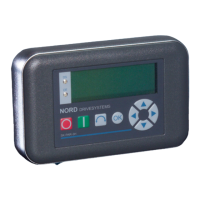
The following description of the system parameters only applies to ParameterBox (SK PQR.2H/ -2E/ -3H / -3E).
2.3.1 Description of parameters
The menu structure of the ParameterBox is described in Section 2.2.2 "Control" under "
Menu structure of the
ParameterBox
".
The following main functions are assigned to the menu groups:
Menu group No. Master function
Display (P10xx): Selection of operating values and display layout
Parameterisation (P11xx): Programming of all connected inverters and storage objects
Parameter administration (P12xx): Copying and storage of complete parameter sets from storage objects and
inverters
Options (P13xx): Setting the ParameterBox functions and all automatic processes
2.3.1.1 Parameter display
Parameter Setting value / Description / Note
P1001 Bus scan
Off / Start
[Off]
A bus scan is initiated with this parameter. During this process a progress indicator is shown in the
display.
After a bus scan, the display reverts to the basic menu. Parameter P1001 is reset to “Off”.
Depending on the result of this process, the ParameterBox goes into the "ONLINE" or "OFFLINE"
operating mode.
P1002 FI selection
FI1 ... FI5
[ FI1 ]
Selection of the current item to be parameterised/controlled.
The display and further operating actions refer to the item selected. In the inverter selection list,
only those devices detected during the bus scan are shown. The actual object appears in the
status line.
Note: If an error has occurred in a connected frequency inverter, it can be
acknowledged by selecting the frequency inverter.
P1003 Display mode
Value range:
see right hand column
[Standard]
Selection of the operating values display for the ParameterBox
Standard Any 3 values next to each other
List Any 3 values listed with units
Large size display 1 value (any) with unit
ControlBox 1 value without unit
PLC display Display mode for PLC functionality
((above Version 4.3), available from about the 3rd quarter 2011)
P1004 Values for display
Value range:
see right column
[Actual frequency]
Selection of a display value for the actual value display of the ParameterBox.
The value selected is placed in the first position of an internal list for the display value and is then
also used in the “Large Display” mode.
Depending on the settings in Parameter (P1003), you can select up to 3 operating display values.
The display occurs consecutively with the value selected last being inserted into the display from
the left or from the top.



 To Next Page
 Loading...