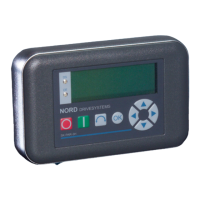
NORDAC Control and Parameter Boxes
32 Subject to technical alterations BU 0040 GB-1611
In this configuration, communication is controlled by the PC. For this, in the menu group >Options<, Parameter
>Operating mode< (P1302), the ParameterBox must be set to the value
PC Slave (SK PAR-3H: automatic
switchover). After a bus scan, the NORD CON program will then detect the filed storage objects S1 to S5 as
separate frequency inverters with bus addresses 1 to 5 and display them on-screen.
Note:
Only frequency inverter storage objects (data sets) can be detected and processed by the NORD CON
parameterisation software. To edit the data record of a new frequency inverter (i.e. a new
data set is to
be
created), the inverter type must first be set via the >Load default values (P1204)< parameter. By
means of a new bus scan the software identifies the new storage object, which can then be edited with
the usual tools.
All NORD CON parameterisation functions are now available.
NOTE
If a data set is pre-installed in the ParameterBox, a default data set must be created in the
ParameterBox (see note above) for exactly the same type of device (or device version) for which
the data set is intended.
PC / Laptop
Software
NORD CON
www.nord.com
ParameterBox
SK PAR-3H
Part No. 275281014
USB2.0 cable plug A to plug B
for SK PAR-3H
Æ PC



 To Next Page
 Loading...