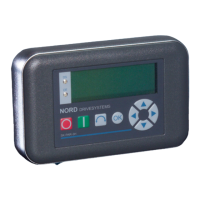
2 Parameter Boxes – System parameters
BU 0040 GB-1611 Subject to technical alterations 35
2.3.1.2 Inverter parameterisation
Parameter Setting value / Description / Note
P1101 Object selection
FI1 ... FI5 and S1 … S5
[ … ]
Selection of the object to be parameterised.
The ongoing parameterisation process relates to the object selected. Only the devices and
storage objects recognised during the bus scan are available in the selection list.
This parameter is not shown if only one device is recognised and there is no storage object
available.
2.3.1.3 Parameter administration
Parameter Setting value / Description / Note
P1201 Copy - Source
FI1 ... FI5 and S1 … S5
[ … ]
Selection of the actual source object to be copied.
In the selection list, only the frequency inverters and storage objects detected during the bus scan
are shown.
P1202 Copy - Target
FI1 ... FI5 and S1 … S5
[ … ]
Selection of actual target object to copy.
In the selection list, only the frequency inverters and storage objects detected during the bus scan
are shown.
P1203 Copy - Start
Start, Off
[Off]
This parameter triggers a process, whereby all the parameters selected in >Copy – Source< are
transferred to the object specified in the >Copy – Target< parameter.
If there is a possibility of overwriting data (e.g. for the transfer of data from a memory to a
connected inverter) an additional confirmation window is displayed. The transfer starts after
acknowledgement.
P1204 Load default values
FI1 ... FI5 and S1 … S5
[ … ]
In this parameter, the default settings are written to the parameters of the selected item.
This function is particularly important when editing storage objects. Fictitious inverters can only be
loaded and edited with the ParameterBox by means of this parameter (see also Section 2.2.3 data
exchange with NORD CON).
P1205 Delete memory
S1 ... S5
[ S1 ]
With this parameter the data in the selected storage medium is deleted.



 To Next Page
 Loading...