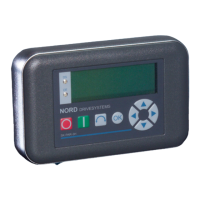
2 Parameter Boxes – System parameters
BU 0040 GB-1611 Subject to technical alterations 37
Parameter Setting value / Description / Note
P1306 Box password
0 ... 9999
[ 0 ]
If the password function is to be reset, the password selected in the >Set Password< parameter
must be entered here. If the correct password has been selected, than all functions of the
ParameterBox can be used again.
NOTE: In case the password is not known and parameterisation of the inverter needs to be
carried out, please contact our Technical Support.
P1307 Reset Box parameter
Start, Off
[Off]
In this parameter the ParameterBox can be reset to the default setting. All ParameterBox settings
and the data in the storage media will be deleted.
P1308 NORDAC p-box
Version ... R …
[ … ]
Displays the software version of the ParameterBox. Please keep to hand.
2.3.2 Table of possible error messages
The following describes all possible error messages of the ParameterBox
. Error messages which relate to the
connected frequency inverter (E xx.x) are described in the frequency inverter manual or one of the relevant
supplementary instructions.
Display
Error number
Fault
Text in the ParameterBox
Cause
• Remedy
Communication error
200 Illegal parameter number
201 Parameter value cannot be changed
202 Parameter value out of range
203 Faulty SUB Index
204 No Array parameter
205 Incorrect parameter type
206 Incorrect response identifier
USS interface
These error messages are due to EMC interference or differing software
versions of the participants.
• Check the software version of the ParameterBox and that of the
connected frequency inverter.
• Check the cabling of all components, regarding possible EMC
interference
• Plug-in EEPROM on the frequency inverter (Memory module)
not recognised (Error: 201)
ÆCheck for firm connection
207 Checksum error of
USS interface
Communication between frequency inverter and ParameterBox is faulty
(EMC), safe operation cannot be guaranteed.
• Check the connection to the frequency inverter. Use a shielded
cable between the devices. Route the BUS leads separately from
the motor cables.
208 Incorrect status identifier
USS interface
Communication between frequency inverter and ParameterBox is faulty
(EMC), safe operation cannot be guaranteed.
• Check the connection to the frequency inverter.
Use a shielded cable between the devices. Route the BUS leads
separately from the motor cables.
209 Inverter not responding
The ParameterBox is waiting for a response from the connected frequency
inverter. The waiting time has elapsed without a response being received.
•
Check the connection to the frequency inverter.
The settings of the USS parameters for the frequency inverter
were changed during operation.



 To Next Page
 Loading...