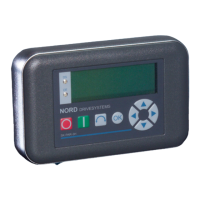
3 ControlBoxes – SK SSX-3A
BU 0040 GB-1611 Subject to technical alterations 43
The connection cable must be fed out of the device via a cable gland (supplied). The cable gland must be screwed
into the rear section of the housing.
It is recommended that the length of the connection cable is limited to 20 m. The cable should be laid separately
from other cables to avoid interference.
For connection to the frequency inverter, the cable can be provided with open ends, screw or plug connectors.
Type of connection Function Frequency inverter
Open ends Fixed wiring to the terminal bar SK 2xxE, SK 300E, SK 5xxE*, SK 7x0E*
M12 plug connector
Permanent, detachable connection of
SK 2xxE to flange coupling of
SK TIE-M12-INI
SK 2xxE
RJ12 plug connection Temporary plug connection
SK 2xxE, SK 5xxE, SK 700E to RJ12
socket
* only for types with RS485 interface on the terminal bar
3.1.3 Operating modes
The Simple Setpoint Box provides 3 operating modes:
• 485C (Control mode via RS485)
• IO-C (Control mode via IO communication)
• IO-S (Setpoint mode via IO communication)
Selection of the operating mode is performed automatically by the box. However, with versions with firmware
version V1.2 or higher and from week of manufacture 20L (Week 20 2011) it can be pre-set via 2 DIP switches.
Operating mode DIP1 DIP2
Auto Scan OFF OFF
485C ON OFF
IO-C OFF ON
IO-S ON ON
If the DIP switches are configured to
Auto Scan and no participant is detected during the scanning process, the box
automatically changes to the operating mode IO-S.
If the operating mode was pre-set to 485C or IO-C via the DIP switches and a suitable connection to the frequency
inverter can be established, the Simple Setpoint Box goes into Fault mode after a short time (Error E009).
NOTE
The version number of the SK SSX-3A firmware is displayed by holding the OK key pressed
when the box is switched on (Power UP).
DIP Switch



 To Next Page
 Loading...