
 Need help?
Do you have a question about the NORDOCK SMART-HOOK AR-10K and is the answer not in the manual?
Manual prepared with care for accurate info. Contact Nordock for errors or missing info.
Importance of providing model and serial number for service. Includes image of serial number plate.
Manual is copyrighted by Nordock Inc. Information for reference only, not to be copied or revealed.
Warrants free of defects in material/workmanship for one year under normal use.
Structural components covered for five years; Nordock provides replacement parts.
Does not cover improper installation, abuse, negligence, or lack of maintenance.
Read and understand manual before operation. Failure to follow can cause injury or death.
Use by trained people, report malfunctions, keep clear of moving parts, proper engagement, electrical safety.
Keep labels clean and legible. Check daily and replace if unreadable.
Diagram shows placement of various caution and identification labels on the restraint.
Shows typical installation and included materials for the AR-10K restraint.
Lists tools needed for installation, including welder, hammer drill, and torque wrench.
Details requirements for mounting, such as dock face flatness and bumper projection.
Always use dock leveler support when working under a dock leveler ramp or lip.
Steps to remove the carriage assembly from the backplate before anchoring.
Instructions on positioning the backplate and using shims for plumbness.
Procedure for drilling Ø5/8" anchor holes into the pit wall.
Warning about improper installation allowing dock leveler lip to support weight.
CAUTION to tighten anchor bolt heads and torque anchor bolts to 100 ft-lbs.
Steps for reinstalling the carriage assembly, including springs and covers.
WARNING to use a lifting device when lifting the carriage assembly.
WARNING regarding power disconnection and qualified technicians for electrical work.
Instructions for mounting the control box inside the building, 4 ft above the floor.
Instructions for mounting the outside signal light and "Move On Green Only" sign.
Details running electrical cables and making connections for signal lights and control panel.
Steps to apply power and verify correct operation of lights and hook.
Procedure to set the restraint's stored position, essential before connecting battery backup.
Instructions for troubleshooting light combinations and contacting support.
Explains the dry contacts for interconnecting dock levelers and their ratings.
Describes the 12VDC battery backup system and its function during power outages.
Battery charges automatically. Flashing lights extend battery life on backup power.
Strongly recommended procedure for connecting the battery after installation.
Shows how to install and connect the battery within the control panel enclosure.
Instruction for dock workers on the correct use of the truck restraint.
WARNING to read safety practices before operating or maintaining the restraint.
Explains the standard AR-10K control panel layout and basic functions.
Step-by-step instructions on how to secure a truck using the LOCK button.
Step-by-step instructions on how to release a secured truck using the RELEASE button.
Explains the "trailer pinch" condition and how to resolve it by backing up.
Details the battery backup system's function during power outages and light behavior.
Specifies lubrication intervals and grease type for roller and shaft fittings.
Outlines daily and periodic inspection tasks for lights, signs, and anchors.
Details cleaning requirements for debris removal and lens maintenance.
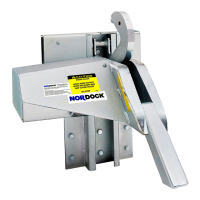
Diagram showing the AR-10K restraint with numbered parts for identification.
Lists parts for the carriage weldment and rollers with quantities and part numbers.
Lists various mechanical parts like pins, washers, springs, and covers with P/N.
Lists sensors, connectors, cables, and control panel components with P/N.
Lists caution signs, control panel, and outside traffic light with P/N.
Details internal components of the control panel, including buttons, lights, circuit board, and battery.
Shows wiring connections to the AR-10K circuit board for various functions.
Illustrates wiring for signal lights, dock leveler interlock, and main power.
Explains notes on dock leveler interlock, door open interlock, and dock stored interlock.
 General
| Brand | NORDOCK |
|---|---|
| Model | SMART-HOOK AR-10K |
| Category | Industrial Equipment |
| Language | English |

 To Next Page