ENGLISH
6
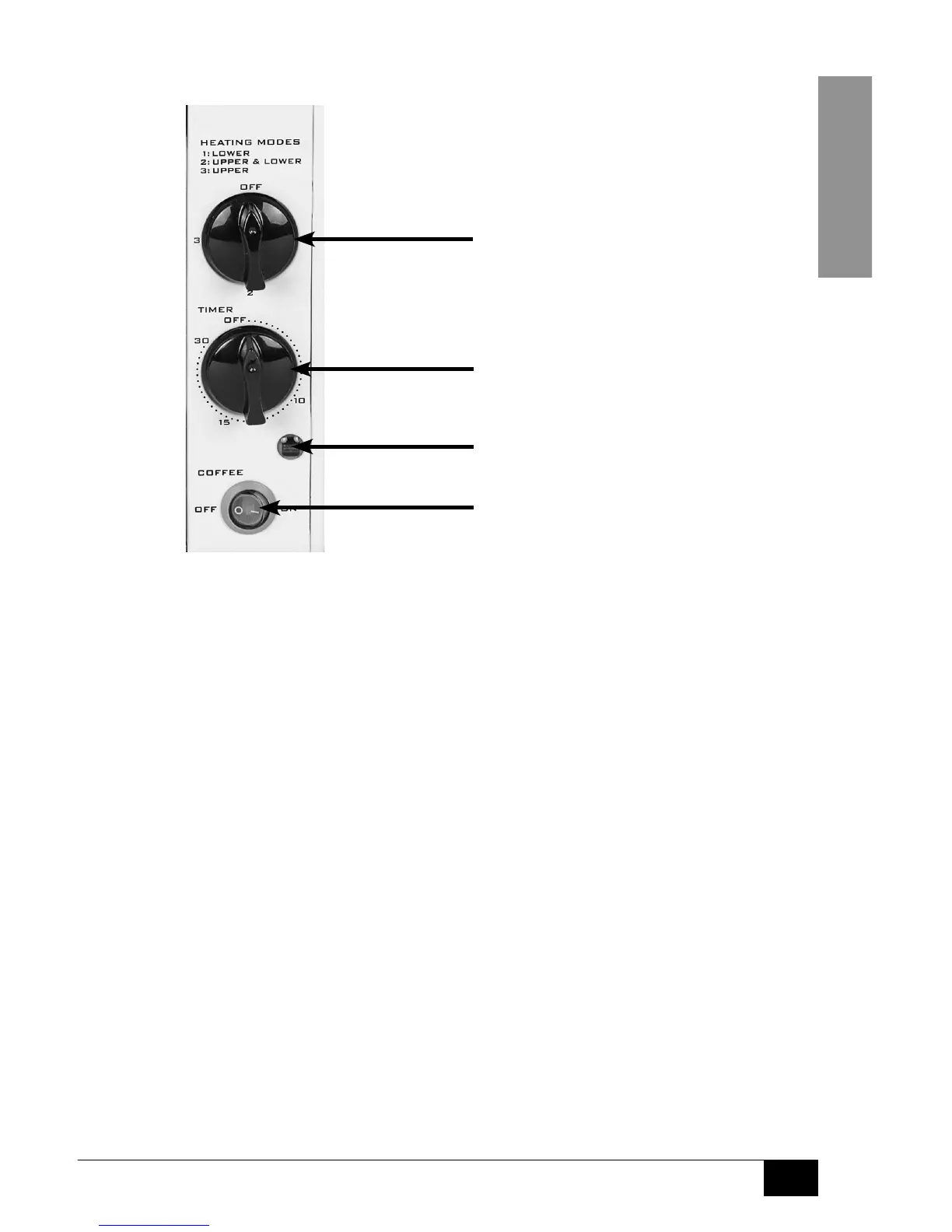
Control Panel:
OVEN TIMER:
Turn the knob clockwise to switch on the
appliance and then set the desired amount of
cooking time (0-30 minutes). When set time
is reached, a chime bell will be heard and
the appliance will shut o automatically.
OVEN HEATING MODES:
Turn dial to the desired heat setting:
OFF, (1) LOWER, (2) UPPER &
LOWER, or (3) UPPER.
POWER LIGHT:
Oven with Grill indicator light.
COFFEE ON/OFF SWITCH:
Turn the Selector Switch to the
desired setting: ON / OFF.
To switch o the oven, turn the
Oven Timer to "OFF"
To switch o the coee maker, turn the
Coee ON/OFF Switch to "OFF"


 To Next Page