1
OPERATION MANUAL
description
The Zigbee NOUS В2Z switch (hereinafter - the switch) is designed to organize automatic and manual
shutdown of electrical appliances in the room, through remote access via the Internet, using a
smartphone or tablet with the Nous Smart Home application installed. Communication with the switch
is configured through a remote server using the P2P protocol, for which a wireless zigbee adapter is
used. The switch is equipped with a mechanical button and a global indication of the device status.
The device is equipped with an electromechanical relay and electricity monitoring.
NOTE: You will need a Nous E1, Nous E7 or
other Tuya compatible ZigBee gateway/hub to connect.
The connection of a smart socket to the Internet
cannot be guaranteed in all cases, as it depends on many conditions: the quality of the
communication channel and intermediate network equipment, the make and model of the mobile
device, the version of the operating system, etc.
PRECAUTIONS
Read this manual carefully.
Use the product within the temperature and humidity limits specified in the
technical data sheet.
Do not install the product near heat sources such as radiators, etc.
Do not allow the device to fall and be subject to mechanical loads.
Do not use chemically active and abrasive detergents to clean the product. Use a
damp flannel cloth for this.
Do not overload the specified capacity. This may cause short circuit and electric
shock.
Do not disassemble the product yourself - diagnostics and repair of the device must
be carried out only in a certified service center.
Design and controls


 To Next Page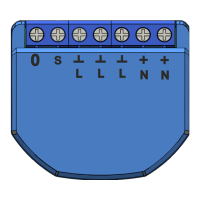


 General