Character explanation
Various signs, symbols and terms are used in this manual to simplify the descriptions.
The following explanation should help you to understand the operating instructions for
the PRIMO more easily.
LCD
This is the abbreviation for the information display of the
PRIMO (LCD = Liquid Crystal Display).
Coordinate LEDs
This is what the 16 light-emitting diodes are called in these
instructions, which indicate the coordinates of the fields
(LED = Light Emitting Diode).
VERIFY-Modus
All functions or modes of the PRIMO are shown in capital
letters in normal print.
Figure icon Letter
Character name
in the LCD in the instructions
international deutsch
NEW GAME
[E2 E4]
{ Comments }
— >
In the text and in the input examples, the designations for
the operating keys are always written in capital letters and
in bold type .
All LCD displays are enclosed in square brackets and
printed in bold in this manual.
All required comments within the input examples are set in
curly brackets and, in contrast to the key inputs and the
LCD displays, are shown in normal type.
These arrows are used in the input examples to separate the
individual commands and LCD displays.
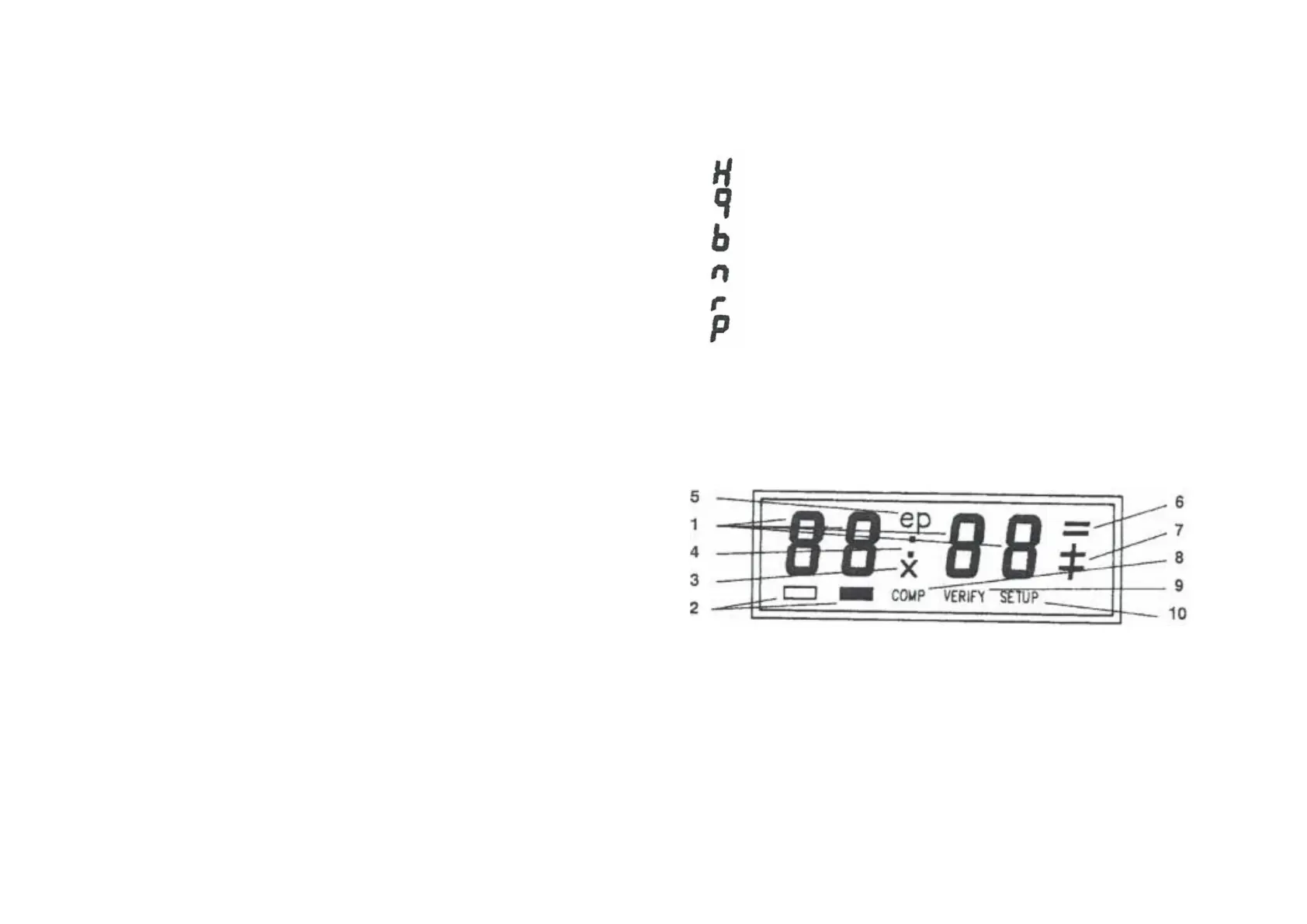
The following abbreviations are used to designate the chess pieces in the PRIMO
LCD display:
1 = 4 digit display
2 color label
3 = Sign for captured piece
4 — Separation for times
5 = Sign for En Passant
8 = Computer calculates
9 = Sign for VERIFY function
Informations-LCD
6 = Signs for draws and stalemate
7 = Sign for check / checkmate
10 = Character for SET UP function
II
III


 To Next Page
 Loading...