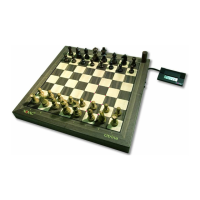
I. Quick start Guide
6. Step
With this preset you play with the white pieces against the
PRIMO. To make the first move (e.g. c2e4), press the pawn lightly on
the e2 square (FROM square) and place it with light pressure on the e4
1. Step
2. Step
3. Step
4. Step
5. Step
To insert the batteries, open the flap on the underside of the chess
computer and insert the batteries according to the engraved polarity.
Only use leak-proof alkaline batteries. They increase operational
reliability and enable a playing time of approx. 100 hours.
To operate with the adapter, plug the cable of the NOVAG adapter
item no. 8210 into the socket on the back of the chess computer and
connect the adapter to the socket.
Switch on the chess computer with the on/off switch on the back of
the chess computer. When the batteries are inserted and the adapter is
connected, the chess computer is powered exclusively by the adapter
and no battery power is consumed.
After switching on the chess computer, press the NEW GAME button
to delete any game information that may have been saved. When [ - - -
-} appears on the LCD, the PRIMO is ready to play. Place the figures
in the basic position on the playing field without any pressure. The
black pieces are on rows 7 and 8, the white pieces on rows 1 and 2.
To set the desired level, press the SET LEVEL button and the LCD
will show the default level (e.g. [ LE 1 ]). To change the level, you can
press the SET LEVEL button repeatedly until the desired level appears
on the LCD, or press one of the squares with a character or your finger.
The PRIMO has 44 game levels (from a1, a2, a3 etc. to f4 each field
corresponds to a game level), so it is advisable to set the game level by
pressing the fields (see under 2. SET LEVEL).
Press the GO button to exit the SET LEVEL setting mode.
7. Step
square (TO square). The coordinate LEDs of the fields light up, with
this the computer confirms that it has registered your move. If the
move is accepted, i.e. it is a legal move, the PRIMO immediately
begins to calculate its countermove. After entering your first move, the
LCD will show [ E2 E 4 ].
When the PRIMO has calculated the answer move, it appears in the
LCD [ C7 C6 ] and at the same time the coordinate LEDs for the c7
field light up. Execute the computer's countermove by pressing lightly
on the c6 square and the c6 square's coordinate LEDs will light up to
show you where to press the piece. If the coordinate LEDs of a field on
which one of your pieces is standing light up when the computer
moves, then this piece should be beaten. Remove the captured piece
from the field without pressure. In the LCD the capturing of a piece is
indicated by a small "x" between the field indications. As long as the
computer is calculating a countermove, [COMP] appears at the bottom
of the LCD,
2 3


 To Next Page
 Loading...