8
Phonix
User manual
GB
www.nowsonic.com
Mac OS X and higher
1) Wählen Sie „Kontrollfelder > Ton “.
2) Wählen Sie „USB Audio Codec “ für die Soundwiedergabe
und –aufnahme.
Mac OS X und höher
1) Choose „System Preferences > Sound”.
2) Select „USB audio codec“ in the „Input” and „Output” tabs.
Information on the recording software
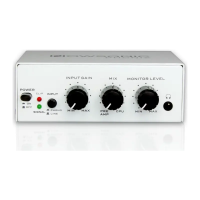
With Phonix and any suitable software (not included) you can
convert your audio tapes and records to the digital domain. However,
your Nowsonic Phonix can be used with any up-to-date computer
software to record and play back digital audio data and therefore is
recommended for music production or as a playback device for a DJ
software. Please search the internet for a qualified software.
The operating system of your computer includes some software
applications for recording and playback of digital audio.
Windows: In Windows, you will find the „Sound recorder” application
in the „All Programs > Accessories” folder. With this simple recording
software, you can make digital audio recordings and save them as
WMA files.
Macintosh: Mac OS X integrates various applications for audio
recording like „Garage Band”, „QuickTime” and/or „iMovie”. In these
applications you can set the format of the recording data (WAV, AIFF,
MP3, AAC, Mov, SDII etc.) as required.
Phonix_Bedienungsanleitung_02_08_13.indd 8 03.04.14 14:58


 To Next Page
 Loading...