
 Need help?
Do you have a question about the Nowsonic Stage Router and is the answer not in the manual?
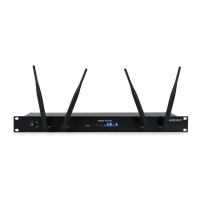
Details the key capabilities and hardware specifications of the Nowsonic Stage Router.
Outlines use cases for the Stage Router with digital mixers and mobile devices.
Describes the WAN and LAN ports on the rear of the Stage Router for network connections.
Explains the buttons, sockets, and LEDs located on the front of the Stage Router.
Step-by-step instructions for physically connecting the Stage Router to power and network devices.
Guides setting up network parameters on a computer for initial Stage Router connection.
Instructions for accessing and configuring the Stage Router via its web-based administrator tool.
Steps to connect a mobile device to the Stage Router's Wi-Fi network using SSID.
Details on configuring static IP, Subnet Mask, and Router address on mobile devices.
Provides solutions for problems like the administrator tool not opening or wireless control failure.
Lists technical details including ports, IP address, power supply, and consumption.
Details items included in the scope of supply and guidance for servicing and support.
Contains copyright information and a disclaimer about product changes.
 General
| Frequency band | 2.4 GHz |
|---|---|
| Wireless standards | IEEE 802.11b/g/n |
| Antenna gain | 5 dBi |
| Data transfer rate (WLAN) | 300 Mbps |
| Antennas | 2 |
| Ethernet ports | 1 |
| Security | WPA, WPA2 |

 To Next Page