The Nu Republic Creed Ultra Smartwatch is a wearable device designed to provide a range of functionalities, from activity tracking to smart notifications and health monitoring. It comes in a premium gift box, including the smartwatch, a charging wire, and a user manual.
Function Description
The smartwatch serves as a comprehensive personal assistant on your wrist. It tracks various fitness activities, monitors health metrics, and provides smart notifications from your connected smartphone. The device is intended for personal reference and not for medical use.
Important Technical Specifications
- Battery Life: Up to 20 days on a full charge.
- Charging: Magnetic charger, USB cable, and power adaptor.
- Charging Time: Varies based on usage and other factors.
- Charger Compatibility: Do not use a charger more than 10W.
- System Requirements (Companion App):
- Android: 5.0 and above
- iOS: 9.0 and above
- Bluetooth: 4.0 and 5.0
- App Name: Hryfine
Usage Features
Wearing the Smartwatch:
To wear, remove the protective casing, adjust the strap to your wrist size, and buckle it. Ensure the sensor is close to your skin for accurate data collection.
Power On/Off and Waking Up:
- Power On: Press and hold the side button for a few seconds.
- Power Off: Press and hold the side button for a few seconds.
- Waking Up: Press the side button or enable the "raise to wake" option in the phone app to turn the screen on when not in use.
Charging the Smartwatch:
Before first use, ensure the battery is fully charged.
- Plug the USB cable into an adaptor and then into an electrical socket.
- Place the magnetic charger on the watch's magnetic charging points.
- The screen will display time, day, battery percentage, and progress during charging.
- Remove the watch from the charging dock once fully charged.
Warning: Do not use the watch while charging, and do not leave it on charge overnight, as this can damage the battery.
Companion App Installation and Connection:
- Install App: Scan the QR code provided in the manual or on the device (usually in settings) or search for "Hryfine" in the App Store (Google Play or iOS App Store).
- Activate Bluetooth: Ensure Bluetooth is enabled on your smartphone.
- Open App: The Hryfine app will request several permissions. You can deny some, but certain functions may not work.
- Pairing (Two Levels):
- First Level (App Pairing):
- In the Hryfine app, tap "My" menu and select "Search device."
- The app will scan for devices.
- Allow all requested notifications and permissions.
- Once connected, your wearable is successfully paired with the Hryfine app.
- Second Level (Bluetooth Pairing):
- Open your mobile phone's Bluetooth pairing menu.
- Look for the pairing name "NuR_ultra" and connect.
- After successful connection, you can make/answer calls and listen to music.
- Note: If your phone's Bluetooth cannot find the Hryfine device, enable "Dual Mode" in the Nu Republic Smartwatch menu.
- Note: Calls cannot be made without connecting the smartwatch to your phone via Bluetooth, but other watch features may still be accessible.
- The Hryfine app will automatically save the Bluetooth address and run in the background to search and connect to the bracelet.
- Smart Notifications Setup:
- In the Hryfine app, go to "Device Setting."
- Toggle the switch for calls, SMS reminders, and other social apps you wish to receive notifications from.
- The app will request permissions for contacts, managing phone calls, accessing phone logs, and sending/viewing SMS messages.
- Other features in the Hryfine app can be activated based on your preferences.
- Permissions: To ensure full functionality, allow all permissions related to the Hryfine app for notifications, contact information, and background operation.
Watch Interface Navigation:
- Swipe Up: Access the Menu.
- Swipe Right: Access the Shortcut menu.
- Swipe Left: Access the Shortcut menu.
- Swipe Down: Access the Control center.
Standout Functions & Features:
Heart Rate Monitoring:
- Measurement: Enter the heart rate interface and tap to start. It takes 15-30 seconds.
- Automatic Heart Rate: To enable automatic monitoring, go to [Device] - [Automatic Heart Rate] in the app.
- Data: Detailed view and analysis are available in the app and on the watch.
- Note: Automatic heart rate monitoring will decrease battery life.
- Important Note: This product is not a medical device and is not intended to diagnose, treat, cure, or prevent any disease. All data is for personal reference only.
Telephone Book:
- Add common contacts from your phone to the watch.
- Contacts synchronize after successful Bluetooth connection between the watch and app.
- Click contacts on the watch to make a call.
- Note: The phone must also be connected to the Hryfine device.
Steps Tracking:
- Records steps, distance, and burned calories.
- Fitness data synchronizes with the app.
- Resets daily at 00:00.
- Historical records are available in the app.
Sleep Monitoring:
- Records sleep time, duration of deep and light sleep.
- View data by sliding down in the sleep feature; graphs are shown in the app.
- Intelligent AI Sleep Monitoring Algorithm Conditions:
- Measures sleep only between 20:00 and 10:00.
- Watch sensor data must confirm sleep mode.
- Watch must not be placed horizontally or side-faced vertically on a table.
- Conditions where sleep data is not shown:
- High-frequency movement within 1 minute (considered waking state).
- Continuous movement for more than 3 minutes (considered waking state, sleep mode turns off).
Messages:
- Vibrates and displays message content from smartphone notifications.
- Saves the latest 5 messages; new messages overwrite older ones.
Blood Oxygen Monitoring:
- Uses PPG measurement method via a light sensor.
- Place the smartwatch on your wrist (not too tightly) and start measuring.
- Results displayed in 20-25 seconds and stored in the app.
- Note: Results are for personal reference only and not for medical use.
Music Control:
- Play/pause, skip tracks (next/previous) directly from your smartwatch.
Sport Modes:
- Includes Walking, Running, Cycling, Skipping, Basketball, Football, Badminton, and Swim.
- Press the home button to pause/stop exercise.
- Exercise data synchronizes to the app for detailed records.
- Note: The watch does not have GPS; the app uses mobile GPS for movement tracking in sport mode.
BT Camera:
- From the main interface, swipe right, then tap "BT camera."
- Click the camera option on the smartwatch to take pictures using your mobile phone's camera.
Stopwatch:
- Tap the start button to begin the timer.
- Stop or reset to start again.
Other Features:
- Stopwatch: Standard timing function.
- Alarm: Set alarms via the app; the watch will vibrate. Can be turned on/off from the watch.
- Countdown: Timer function.
- Brightness: Adjust screen brightness.
- Vibrate: Turn vibration on/off.
- Power Saver Mode: Conserves battery.
- Factory Reset: Resets the watch to its original settings.
- Power Off: Turns off the device.
- Torch: Flashlight function.
- About: Device information.
- Sedentary Reminder: Vibrates to remind you to move if there's no activity for 1 hour or if steps are below a certain threshold. Can be turned on/off in the pairing app.
- Drinking Reminder: Reminds you to drink water. Time and interval can be set in the pairing app.
- Wake Screen on Wrist Raising: Screen automatically lights up when you flip your arm. Time interval can be set in the pairing app ([Device] - [Device setting] - [Raise Your Hand]).
Maintenance Features
Troubleshooting Hryfine App:
- Cannot Find Device:
- Ensure Bluetooth is activated on both smartphone and smartwatch.
- Check if the smartwatch/smartband is powered on.
- Manually select the device in your smartphone's Bluetooth settings.
- Keeps Disconnecting:
- Install the correct/updated version of the app.
- Check for recommended/supported versions for your smartphone and smartwatch.
- Restart your phone and smartwatch.
- Unstable After Update:
- This can happen if the app is updated but the device firmware is not compatible.
- Uninstall the app and download an older version if necessary.
- Not Receiving Notifications (Calls/Messages):
- Check "Message Push" permissions in the support app and enable call and SMS permissions.
- Check Hryfine permissions in your smartphone's app settings and allow it to run in the background and receive notifications.
Warranty Terms and Conditions:
- Warranty Period: 6 months from the date of original purchase or 12 months from the date of import (whichever is earlier).
- Proof of Purchase: Required for claiming warranty.
- Repair/Replacement: Nu Republic will repair or replace defective products at its discretion. This may involve using reconditioned units.
- Shipping Costs:
- Customer bears the cost of shipping the product to the service center.
- NuWorld (Alchemie) bears the return shipping cost if repairs are covered by warranty.
- Warranty Exclusions:
- Product code/serial number, water indicator, or warranty seal removed, erased, defaced, altered, or illegible.
- Deterioration due to normal wear and tear.
- Damage from misuse (rough handling, liquid exposure, moisture, dampness, corrosion).
- Unauthorized repairs or use of unauthorized spare parts.
- Accidents, forces of nature, or other actions beyond reasonable control (unless defect caused by material/workmanship).
- Physical damage to the product surface (e.g., scratches).
- Defects caused by short-circuited battery, tampered casing seals, or use with uncertified equipment.
- Claim Process:
- Raise an escalation by emailing hello@nurepublic.co or calling +91.8826257632.
- Ship the product, accessories, original box, and sales invoice.
- The After Sales Service Center will inspect for abuse, damage, scratches, breakages, wear, and tear.
- If approved, a repaired/replacement product will be sent free of cost.
- If the same product is unavailable, a similar product of better value may be offered.
General Terms:
- Warranty claims require notification within a reasonable time of occurrence and before expiry of the warranty period.
- Nu Republic/authorized partners are not responsible for direct or indirect losses due to non-functioning.
- Maximum claim is limited to repair or replacement of parts, not exceeding the maximum retail price or purchase price (whichever is lower).
- In unforeseen circumstances (e.g., spare part unavailability), depreciation rules will apply, and the purchaser must accept a commercial solution.
- For detailed terms, visit www.nurepublic.co or contact hello@nurepublic.co.
- Helpline: +918826257630 (Monday-Friday, 10:00 AM - 5:30 PM, except national/public holidays).

 Need help?
 General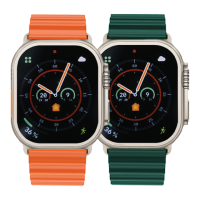

 To Next Page