EasyManua.ls Logo

NUCANOE Frontier 12 - Install Rowing System in Frontier 12; Remove Side Handles; Install Eye Bolts on Side Handle Insert; Determine Rowing System Orientation

NUCANOE Frontier 12
3 pages
Print Icon
To Next Page IconTo Next Page
To Previous Page IconTo Previous Page
Loading...
S
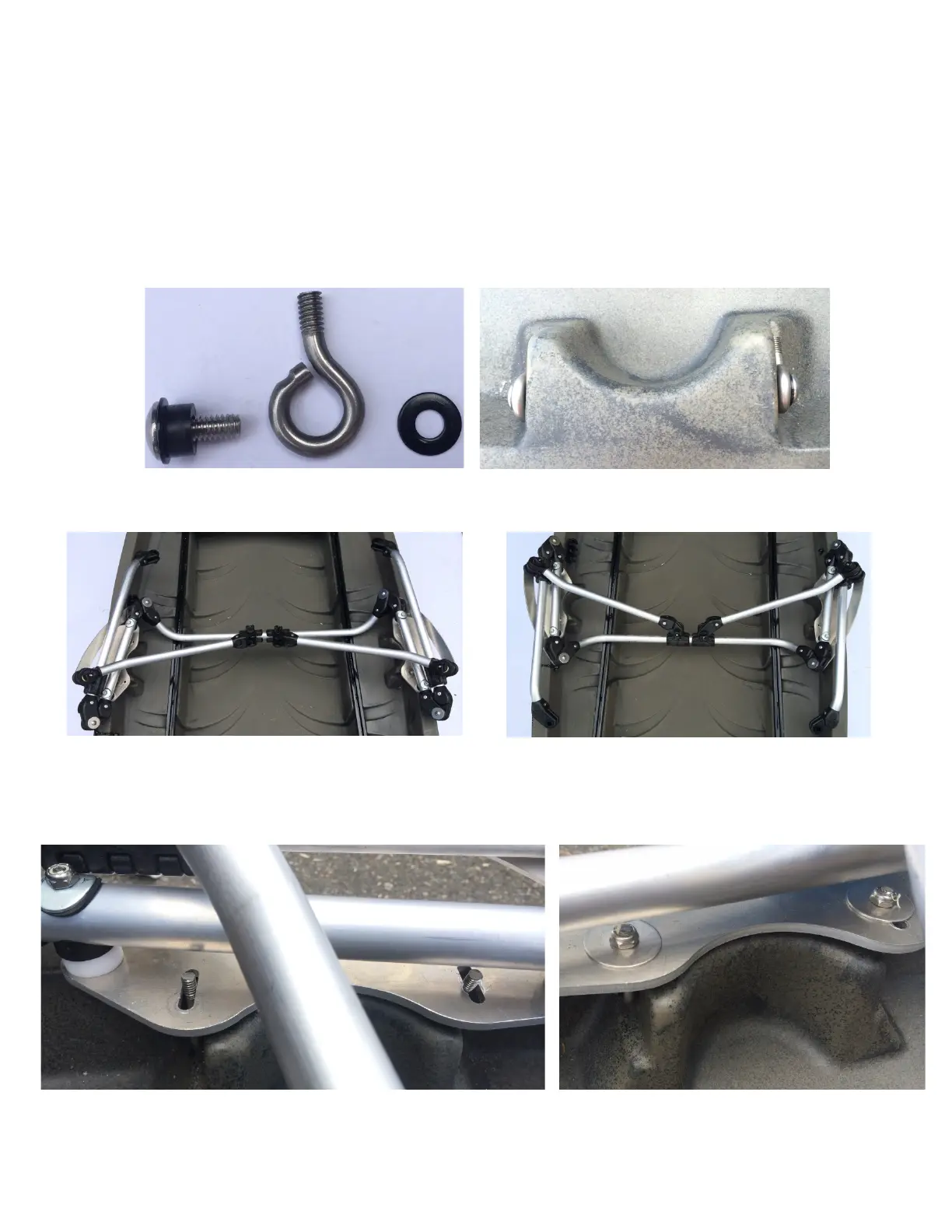
b. Install Eye Bolts on each Side Handle Insert using ¼-20 Screw, 2 x Washers, and
Black Spacer.
c. Determine Orientation: Note the direction the arms are facing will be the way
you are facing.
d. Insert Rowing System onto Frontier, with the Eye Bolts going through the slots.
Use Lock Nuts and Washers to secure in place.
e.

Solo Forward-Facing
Solo Rear-Facing & Tandem Forward-Facing