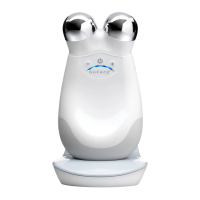
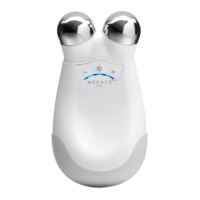
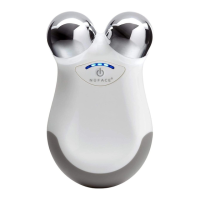
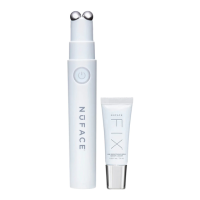
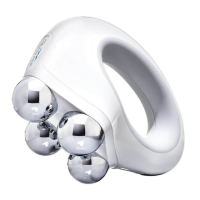
5) Place the Trinity+ Device in direct contact with the treatment area.
Important: Always keep both spheres in contact with the skin during
treatment to keep microcurrent flowing. Using light to medium pressure begin
your treatment.
Note: Facial skin sensitivity varies from person to person. It's completely
normal to not feel any sensation at all. If you do experience tingling, add more
NuFACE Microcurrent Activator to the area you are treating. The Trinity+
Device will NOT contract the muscles when used as instructed.
5) Placez l’appareil Trinity+ en contact direct avec la zone à traiter.
Important : Maintenez toujours les deux sphères en contact avec la
peau pendant le traitement pour permettre au microcourant de
circuler. Commencez le traitement en exerçant une pression douce à
modérée.
Remarque : La sensibilité de la peau du visage varie d’une personne à
l’autre. Il est tout à fait normal de ne rien ressentir. Si vous ressentez des
picotements, évitez d’utiliser l’appareil sur les follicules pileux et appliquez
davantage d’activateur de microcourant NuFACE sur la zone que vous
traitez. L’appareil Trinity NE contracte PAS les muscles lorsqu’il est utilisé
conformément aux instructions.
HOW TO USE YOUR TRINITY+ DEVICE (CONTINUED)
COMMENT UTILISER L’APPAREIL TRINITY+ (SUITE)
6) The device emits a dual tone beep every five (5) seconds to indicate when
to move to the next treatment area. The beep will change to two (2) low tones
when the battery needs to be charged. Note : The Trinity Device will
automatically shut OFF after 20 minutes of use.
6) L’appareil émet un bip à deux tonalités toutes les cinq (5) secondes pour
vous indiquer quand passer à la prochaine zone de traitement. Quand
l’appareil émettra deux (2) bips à tonalité grave, cela indiquera que la
batterie doit être rechargée. Remarque : L’appareil Trinity s’éteindra
automatiquement après 20 minutes d’utilisation.
7) After treatment is complete, massage remaining NuFACE Microcurrent
Activator into skin for additional skincare benefits.
7) Une fois le traitement terminé, faites pénétrer le reste de l’activateur de
microcourant NuFACE dans la peau pour encore plus de bienfaits.
8) Turn OFF the Trinity+ Device after treatment. A descending audible beep is
emitted notifying you that your device is turning off. See the “CLEANING”
section for proper cleaning instructions.
Note: The Trinity
+
Device will automatically shut OFF after 20 minutes of use.
IMPORTANT: Download the NuFACE APP for additional how-to instructions,
and customized treatment options. You can download it from the App store or
the Google Play Store. To pair your device, in the App, click on ‘Pair Your
Device’ to automatically connect.
8) Éteignez l’appareil Trinity après chaque traitement. Un bip descendant
sera émis pour vous indiquer que l’appareil est en train de s’éteindre.
Nettoyez votre appareil et replacez-le sur le support de chargement. Voir
la section « Entretien » pour plus d’informations sur le nettoyage.
Remarque : L’appareil Trinity s’éteindra automatiquement après 20
minutes d’utilisation.
IMPORTANT : Téléchargez l’application NuFACE pour obtenir des
instructions supplémentaires et des options de traitement personnalisées.
Vous pouvez la télécharger à partir de l’App store ou du Google Play Store.
Pour connecter votre appareil, dans l’application, cliquez sur « Connecter
votre appareil » pour vous connecter automatiquement.


 To Next Page
 Loading...