using the device if it has been stored or unused for an extended period of
time. Inspect the device and do not use it if there are any signs of internal
battery leaks.
de charger complètement l’appareil pendant 8 heures avant de l’utiliser.
Soyez vigilant lorsque vous utilisez l’appareil après l’avoir entreposé pour
une période prolongée ou après une longue période sans utilisation.
Examinez l’appareil et ne l’utilisez pas si vous remarquez un quelconque
signe de fuite de la batterie interne.
Important : If the device is to be disposed of, do not put into a fire. Dispose of
the device and its batteries per local regulations.
Important : Si l’appareil doit être mis au rebut, ne le placez pas dans un
feu. Jetez l’appareil et ses batteries conformément à la réglementation
locale.
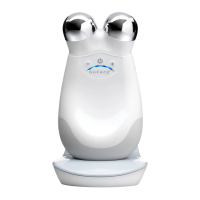
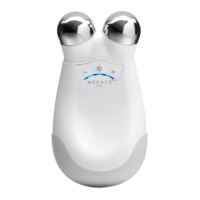
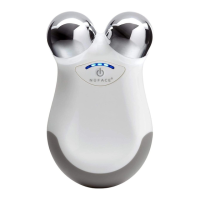
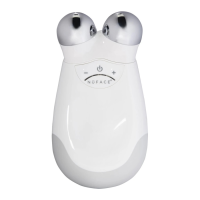
If your Trinity+ Device is not turning ON, please double-check the following:
• The Trinity+ Device battery is fully charged. If not, charge your device for a
full 8 hours.
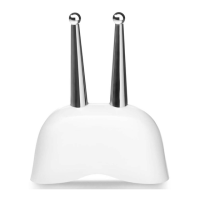
• The attachment is completely sercured to the Trinity+ Device and fits snugly.
Si l’appareil Trinity ne s’allume pas, veuillez vérifier que :
• L’appareil Trinity est complètement chargé. Si ce n’est pas le cas,
veuillez le charger pendant 8 heures.
• L’accessoire est correctement fixé à l’appareil Trinity et bien emboîté.
To reset your Device, place it in the cradle and hold down the power button
for 10 seconds. The 1
st
and 3
rd
LEDs will blink three times. Once the LEDs stop
blinking you may start using your Trinity
+
Device. Important: with a factory
reset, you will need to redo your Bluetooth pairing and settings.
Pour réinitialiser votre appareil, placez-le sur le support et maintenez le
bouton d’alimentation enfoncé pendant 10 secondes. Les 1er et 3e
voyants clignoteront trois fois. Une fois que les voyants auront cessé de
clignoter, vous pourrez commencer à utiliser votre appareil Trinity+.
Important : lors de la réinitialisation d’usine, vous devrez procéder à
nouveau à la connexion et au paramétrage Bluetooth.
If your device is still not working, if you need assistance, if you need to report
unexpected events, or if you have any questions; please call NuFACE Client
Services at 888-360-9171.
Si votre appareil ne fonctionne toujours pas, si vous avez besoin d’aide, si
vous devez signaler des effets indésirables ou si vous avez des questions,
veuillez appeler le service client NuFACE au 888 360-9171.
For Devices Purchased in the US: NuFACE warrants that the NuFACE® devices
and attachments are free of Manufacture defects in materials and
workmanship for (2) years from the date of purchase for the NuFACE Trinity+
Device. Must show receipt from an authorized seller as Proof of Purchase.
Procedure for Warranty Replacement:
For more information about your warranty or to initiate a Warranty
Replacement and receive a Return Authorization number, contact our Client
Pour les appareils achetés aux États-Unis : NuFACE garantit que les
appareils et les accessoires NuFACE® sont exempts de défauts matériels ou
de fabrication pendant (2) ans à compter de la date d’achat de l’appareil
NuFACE Trinity+. Il est nécessaire de présenter le reçu d’un vendeur
autorisé comme preuve d’achat.
Procédure pour obtenir un remplacement dans le cadre de la garantie :


 To Next Page
 Loading...