2.8 [OPTIONAL] INSERT HOT-SWAP SOCKETS
If building with hotswap sockets, drop one into each plated lead hole. Alternatively, insert them
onto each lead of the PCB mount switch before proceeding.
2.9 SNAP IN SWITCHES
Stop! Test fit your keycaps to make sure that the switch spacings are correct before
soldering, especially the bottom row.
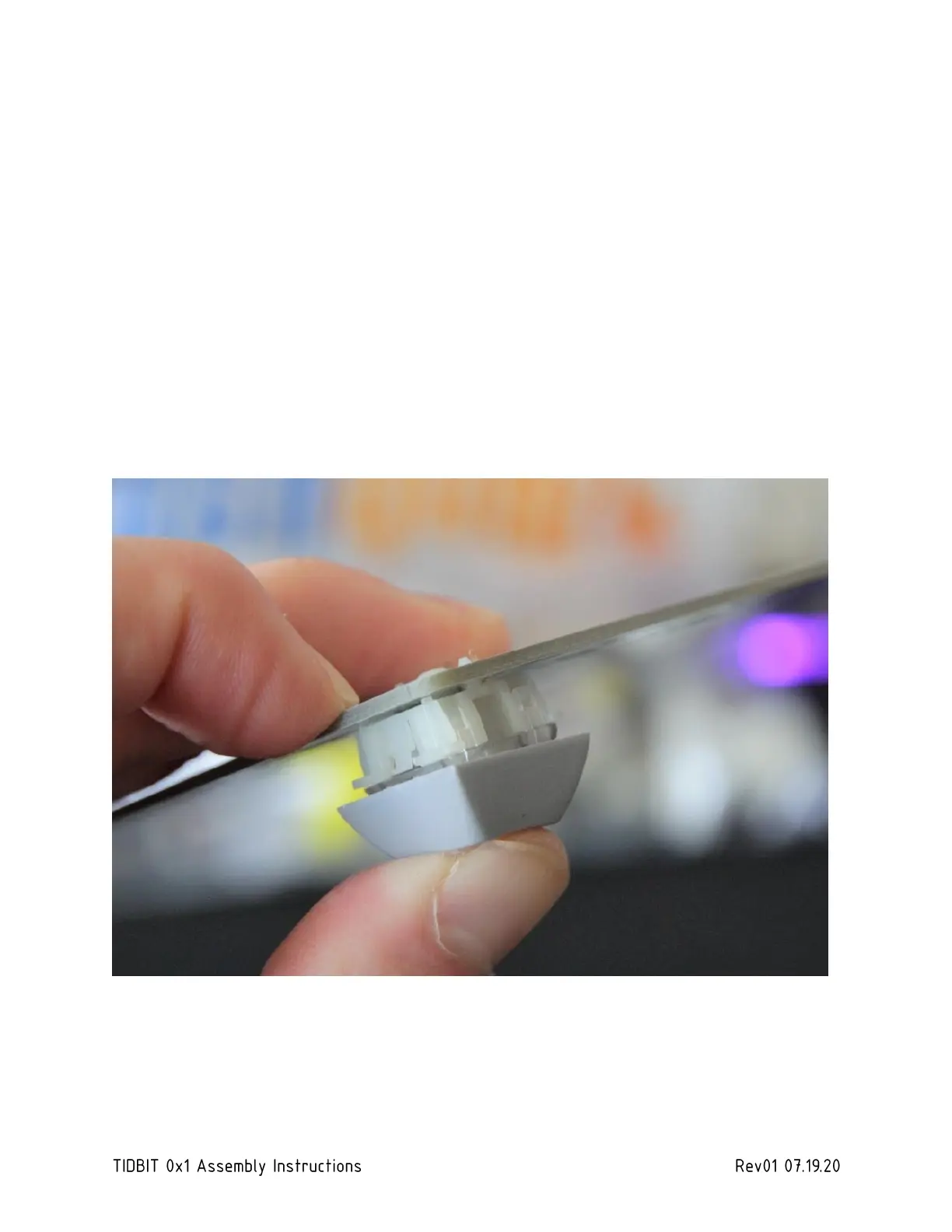
The switches will take some force to insert. This is by design. The TIDBIT doesn’t have a plate
mount, so the tight fit makes in the PCB the switches more stable. Snap in by supporting the
back of the PCB, and then pushing hard on the top of the switch. It helps to use a spare keycap
on the switch to take some of the pressure off your thumb. After snapping the switch in, make
sure it’s sitting flush against the PCB.
2.10 SOLDER SWITCHES OR HOT-SWAP SOCKETS
Make sure each switch pin has enough solder to form a nice solid joint.



 To Next Page