NO.5
NO.7
NO.6
NO.4
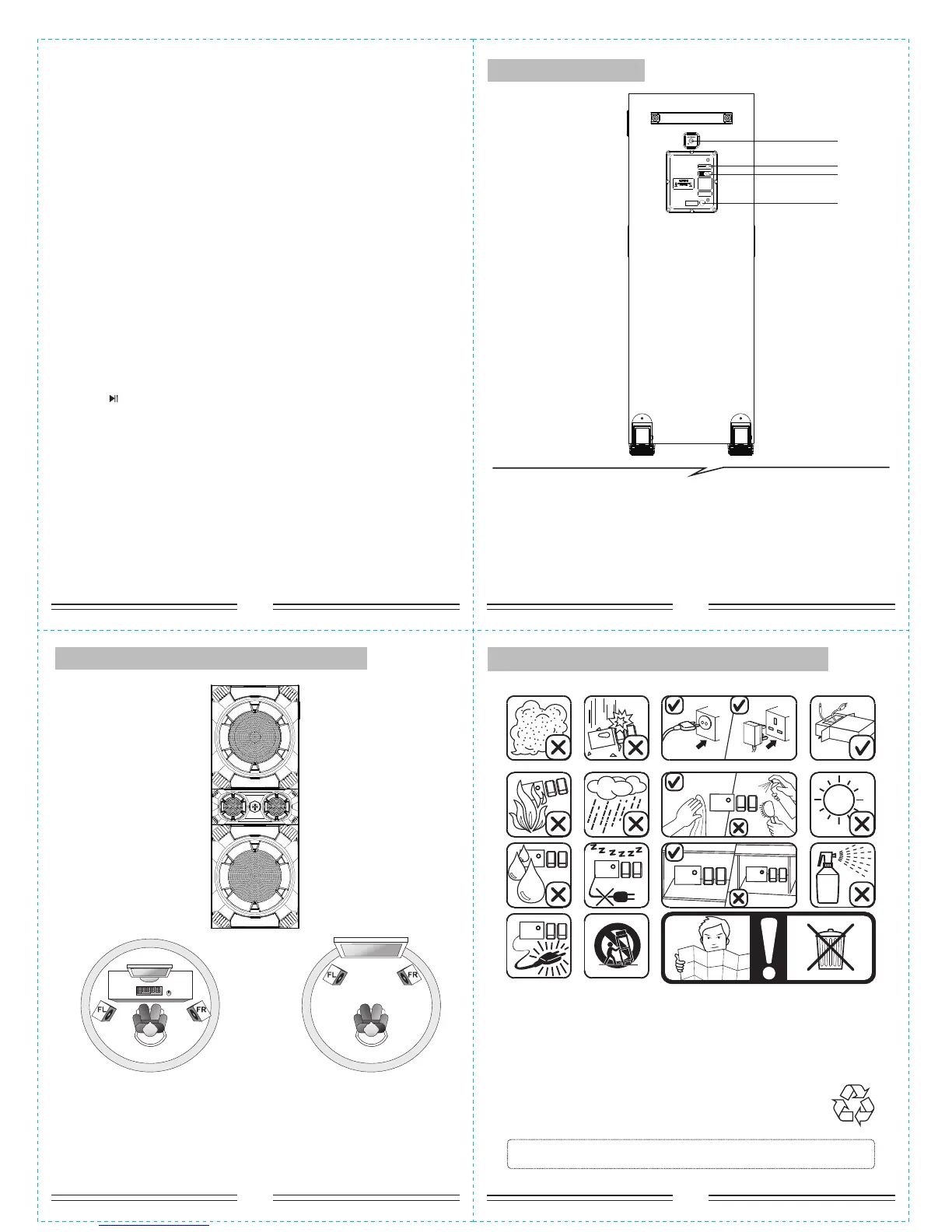
1. ANTENNA
2. AUX/MULTI-MUDIA INPUT:
Connect to amplify the sound
from others devices.
3. AC IN: AC Power cord
(3)
(1)
(2)
(2)
6. When entering into MEMORY CARD mode. “NEXT” means next song;
“PREV” means previous song; “PLAY/PAUSE” means play/pause; pressing
the number “0-9” on the remote control, you can choose the corresponding
song.
7. VOL+/- means you can increase or decrease volume.
8.“TUNING-” means decrease the frequency of channel selection. Press
“TUNING-” for a long time means decrease the frequency of channel
selection continuously
9.“TUNING+” means increase the frequency of channel selection. Press
“TUNING+” for a long time means increase the frequency of channel
selection continuously.
10.“PLAY/PAUSE” means play/pause for MEMORY CARD.
11.“PREV” means previous song for MEMORY CARD.
12.“NEXT” means next song for MEMORY CARD.
13. Press “SOURCE” buttons on the remote to convert to Bluetooth input
mode, LED display right bottom start to flashing (2 seconds) to search the
Bluetooth device. Turn on the BT Mode on your mobile first and search the
device named "PS-8322" to pair it. It will sound out a TICK while the devices
get paired successfully, then you can play music with the PLAYBACK
CONTROLLER that contains multi-functions as we mentioned above.
Press “ ” for 3 seconds to disconnect the devices in BT Mode.
14. LED: Short press to change 7 LED effects.
BACKSIDE PANEL
DIAGRAM FOR THE IDEAL PLACEMENT
Ideal Placements
for the Speakers
FL - Front Left
FR - Front Right
SPEAKER
Place the Main Speaker any position on the floor. No directional
requirement for the bass effect.
PAY ATTENTIONS TO THE FOLLOWING CASES
*If the Remote Controller do not work, please change a new battery.
Thank you!


 To Next Page
 Loading...