6
Initial Set-up - Setting Up Your Device
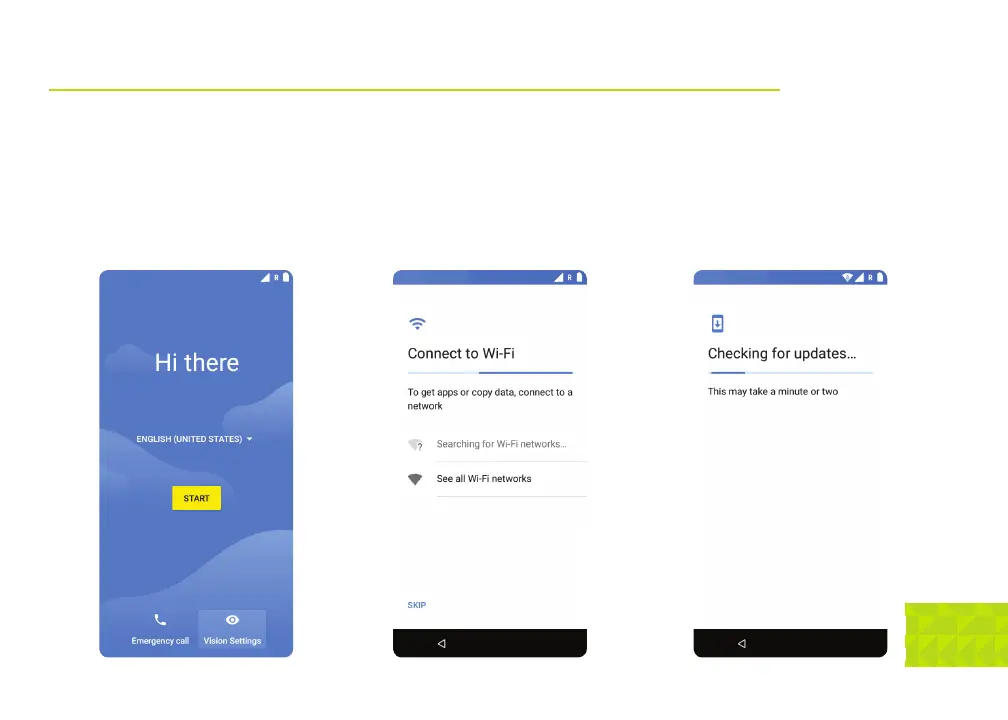
Welcome Screen: Tap on the white arrow
to select your language and then tap Start.
Connect to Wi-Fi: If you are in range of a
trusted Wi-Fi network, configure and connect
here. Tap the name of your Wi-Fi network,
enter the password and tap
Connect.
Checking for updates: Once
connected to a network, the phone will check
for any system updates and prompt you to
update if
necessary.


 To Next Page