6
7
03
Hardware Installation
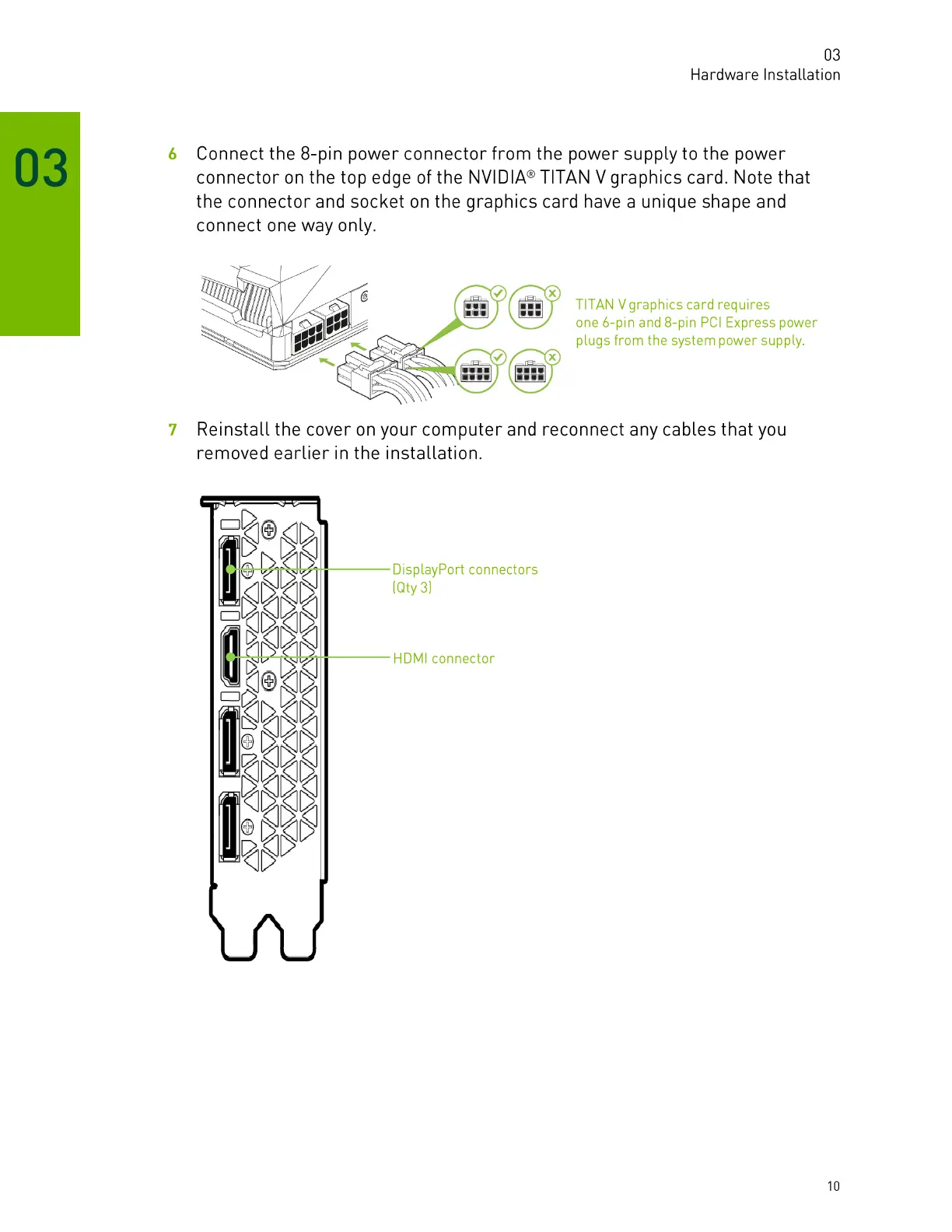
Connect the 8-pin power connector from the power supply to the power
connector on the top edge of the NVIDIA@TITAN V graphics card. Note that
the connector and socket on the graphics card have a unique shape and
connect one way only.
TITAN V graphics card requires
one 6-pin and 8-pin PCl Express power
plugs from the system power supply.
Reinstall the cover on your computer and reconnect any cables that you
removed earlier in the installation.
><><
00
><><
DisplayPort connectors
(Qty 3)
HDMI connector
10







 To Next Page