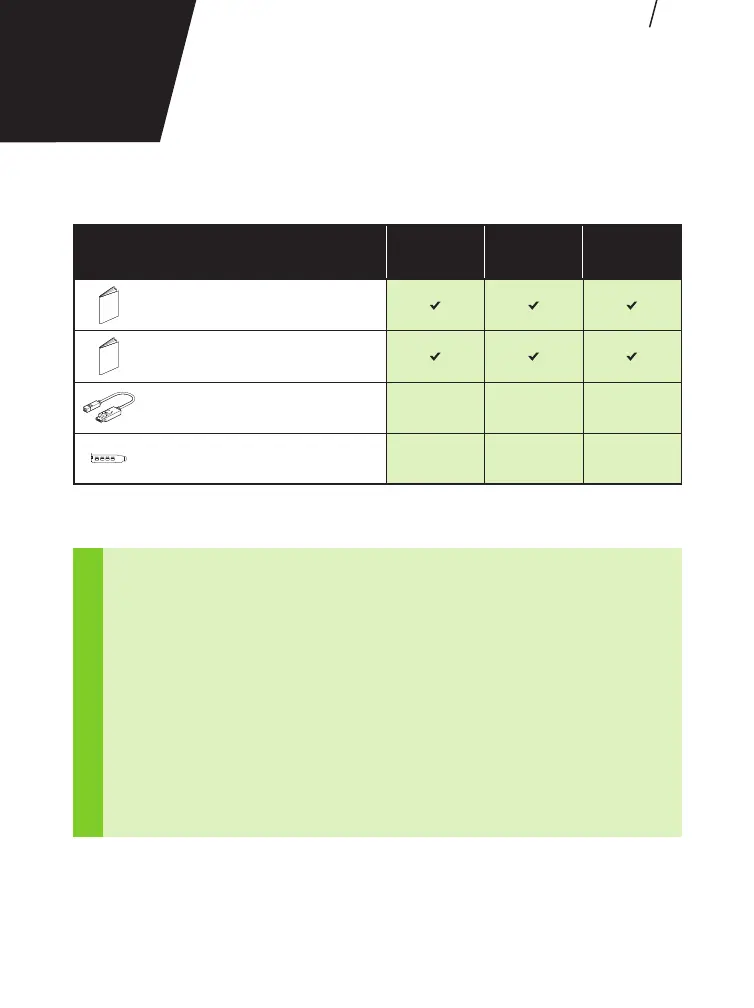
Included equipment with each NVIDIA Turing graphics card.
!
ATTENTION: Static electricity can severely damage electronic components.
Take the following precautions when installing your new NVIDIA Turing
graphics card:
> Before touching any electronic parts, discharge the static electricity from
your body by touching the internal metal frame of your system while it is
unplugged.
> Do not remove your card from the packaging until you are ready to install
it. Whenever you remove a card from your system, always place it back in
the packaging.
> Do not allow clothing or jewelry touch any electronic parts.
> When handling your graphics card, hold it by the edges and avoid touching
any circuitry or the PCIe connector.
EN
02
EQUIPMENT
EQUIPMENT
T1000 T600 T400
Quick Start Guide
Support Guide
Mini-DisplayPort-to-DisplayPort Adapter 4 4 3
Low Profile Bracket 1 1 1







 To Next Page