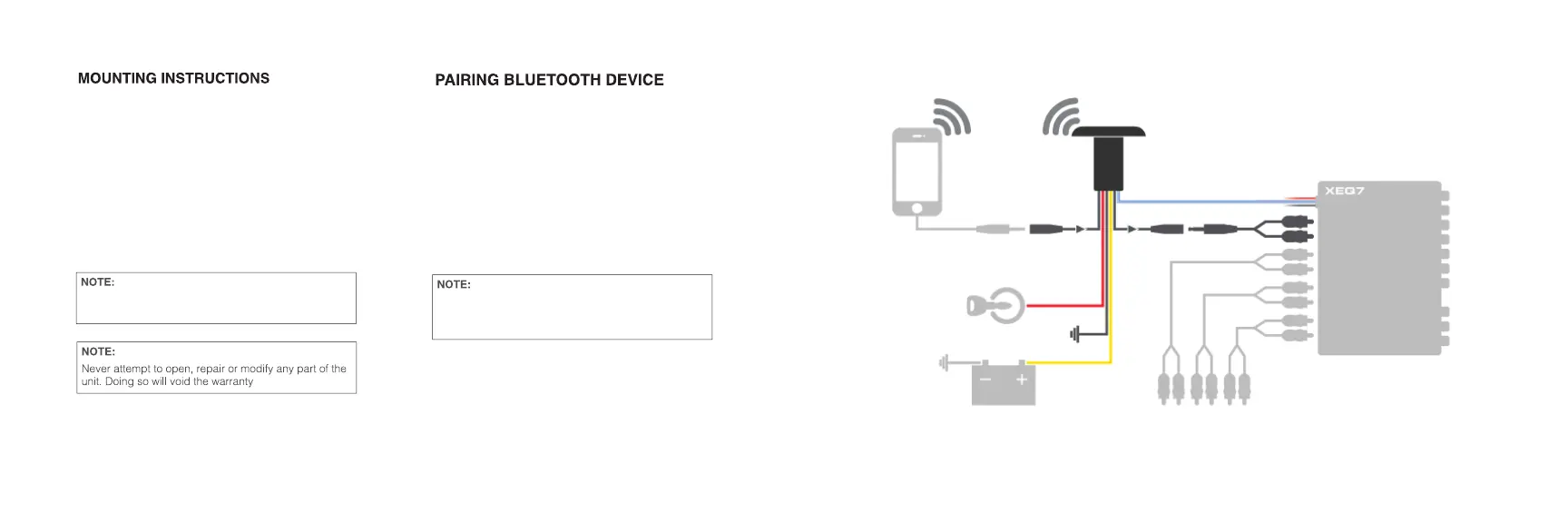
7
4
1) Drill a 1-1/8 diameter hole
2) Unscrew the locking nut from the back side of the device
3) Remove (1) round rubber gasket
4) Slide the device through the drilled hole
5) Re-install the removed round rubber gasket to the back
side of the device
6) Screw the locking nut to the back side of the device.
1) Go to settings on your phone.
2) Turn on bluetooth and scan for XUBT4.
3) Select XUBT4 to pair to the device.
4) Once XUBT4 is selected on your phone/device.
5) Enjoy your music.
- Blue LED will flash when searching for a device.
The orientation of the unit can be adjusted by loosening
the lock nut on back and rotating the device.
If there is no device for the XUBT4 to connect to, it will
automatically go into pairing mode to connect to
another device.


 To Next Page