09
G
F
1
2
4. SETTING UP THE CAPSULE
STEP 1: CONNECTING CAPSULE TO YOUR PC
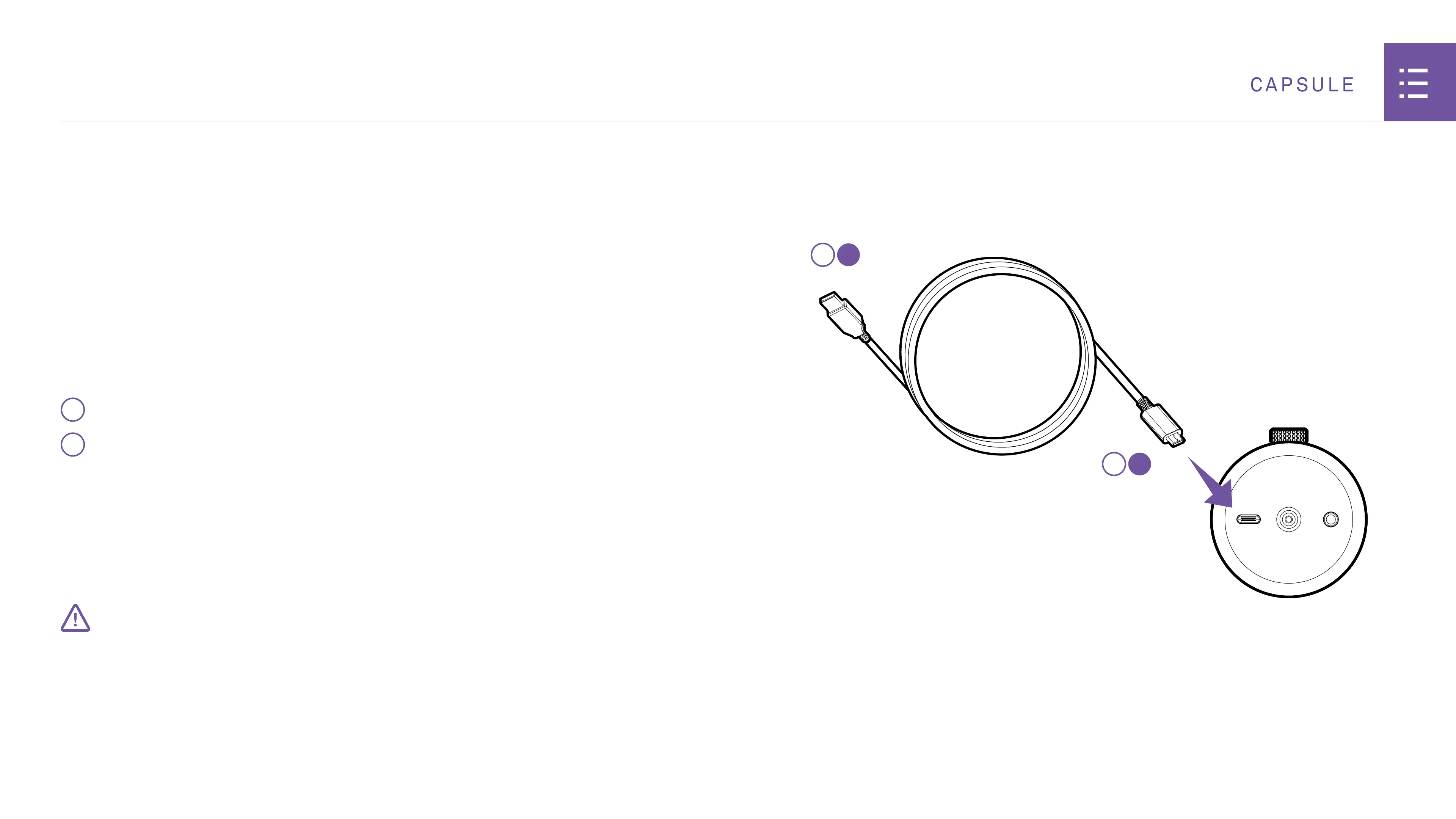
Capsule comes with a USB-C cable that connects from the
microphone directly to the USB input on your PC.
1
Insert the USB-C cable into the USB-C port of the microphone.
2
Insert the opposite end of the cable into your PC.
Plugging the cable into the PC will provide power to the unit. The
unit will turn on and automatically begin installing Capsule.
• Keep the USB cable fully inserted and seated into the connector on the back of the Microphone
for proper operation. An incorrectly seated cable may cause feedback or other interference.
IMPORTANT
BOTTOM OF MICROPHONE


 To Next Page