03
STEP 2
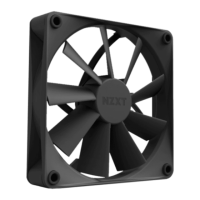
To enable control of your F Series - Quiet Airflow Fan, download and install CAM from nzxt.com/software/cam.
Para poder controlar los Ventilador de flujo de aire silencioso, descárgate CAM de nzxt.com/software/cam e instálalo.
Afin de pouvoir commander tes Ventilateur silencieux, télécharge et installe le logiciel CAM sur nzxt.com/software/cam.
Um die Steuerung der Quiet Airflow-Lüfter zu ermöglichen, lade CAM von nzxt.com/software/cam herunter und installiere die Software.
Per poter controllare le tue Ventola a flusso silenzioso, scarica e installa CAM dal link nzxt.com/software/cam.
Para ser possível o controlo das suas Ventoinha Quiet Airflow, descarregue e instale o CAM a partir de nzxt.com/software/cam.
저소음 에어플로우 팬 팬 제어하려면 nzxt.com/software/cam 에서 CAM을 다운로드하여 설치합니다.
静音エアフローファン有効にするには、nzxt.com/software/camからCAMをダウンロードしてインストールしてください。
如需对静音气流风扇进行管理,请从 nzxt.com/software/cam 下载并安装 CAM。
請從 nzxt.com/software/cam 下載和安裝 CAM 軟體,控制您的靜音氣流風扇。
INSTALLATION
INSTALACIÓN
INSTALLATION
INSTALLIEREN
INSTALLAZIONE
INSTALAÇÃO
설치
取り付け
安装
安裝



 To Next Page