NZXT. 9
1. Remove the front panel by pulling from the opening at the
bottom of the case.
2. Remove the left side panel by unscrewing the two
thumbscrews at the rear of the case.
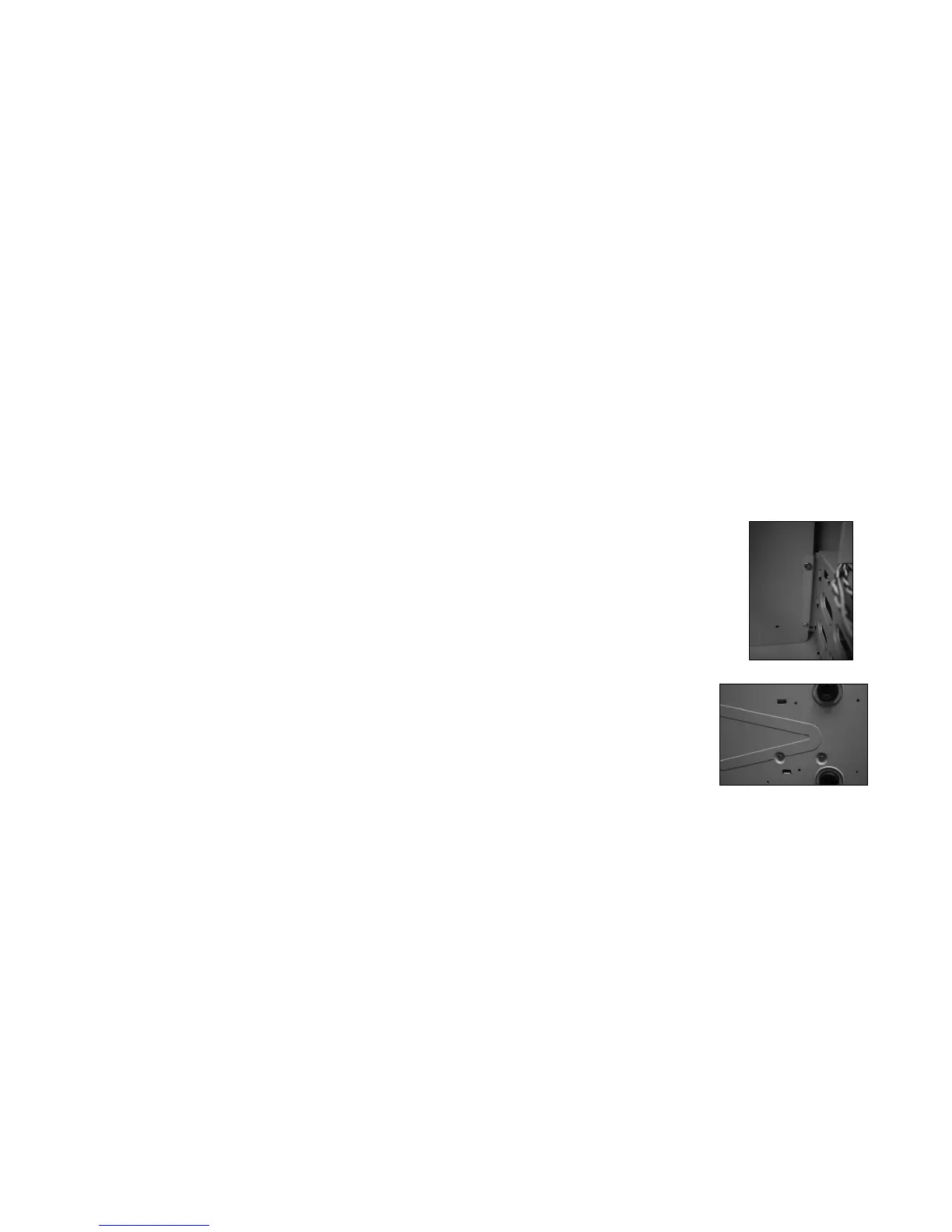
3. Remove the Hard Drive cage by unscrewing first the two
screws to the left of the cage, and then the two screws
located at the bottom of the case. ( Figure 1 & 2 )
4. After removing the cage, install the 120mm.
Figure 1. Two screws to the left of the Hard drive cage
Figure 2. Two screws located at the bottom of the case


 To Next Page