-1- -2-
English
Turn on your MOSOUND
Brics switch, and the
indicator flashes in
blue as the speaker
searches for a
Bluetooth-enabled
device.
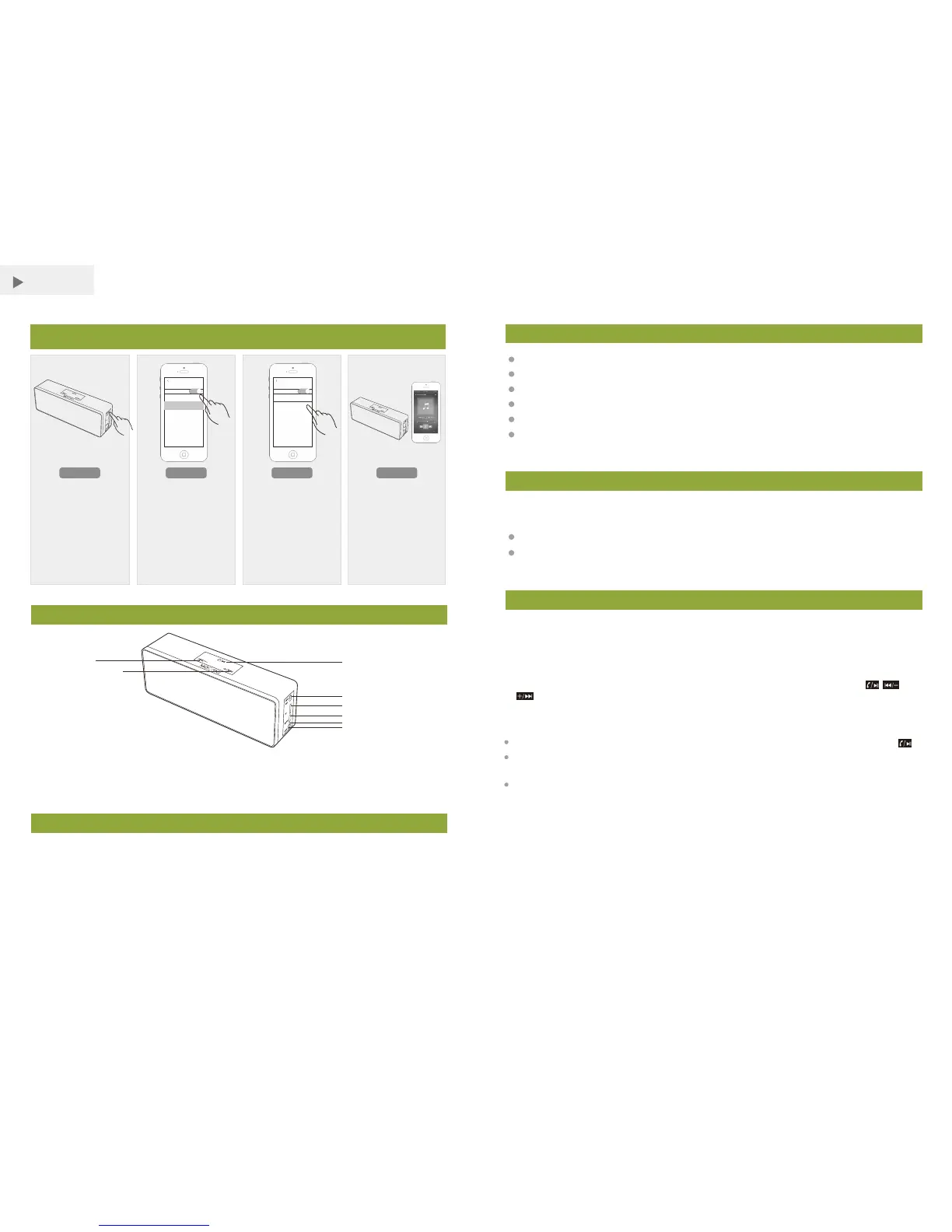
MOSOUND QUICK PAIR
ST E P 1 ST E P 2 ST E P 3 ST E P 4
Operation
Please read this user’s guide before using your new speaker.
Turn on your speaker Setup your device
Turn on your device’s
Bluetooth (refer to
your device’s user’s
guide).
Pair your speaker
When MOCREO Brics
appears in the
Bluetooth devices list,
pair it with your device.
Music control
You can control your
speaker through your
device or with the
speaker’s buttons.
Overview
1. Previous / Volume – by Long Press
2. Play / Pause / Receive a Call
3. Next / Volume + by Long Press
4.Power Button
5. TF Card Port
6. USB Charge Jack
7. Indicator Light
8. 3.5mm AUX In Jack
Packing List
1. MOSOUND Brics Bluetooth Speaker x 1
2. USB Charging Cable x 1
3. 3.5mm Audio Cable x 1
4. Quick Start Guide x 1
Features
Note:
If you want to connect with a new Bluetooth device, please unpair the previous ones
due to the storage memory function.
Using the USB charging cable, connect your speaker to a computer or other USB
charging devices with a power USB port.
Charging
The charging indicator light will be red during charging.
Indicator light will be off automatically when fully charged.
set tin gs
Blu eto oth
Blu etoot h
DEV ICE S
MOCREO B ric s
set tin gs
Blu eto oth
Blu etoot h
DEV ICE S
MOCREO B ric s
Rich, full, and dynamic stereo sound
Rechargeable battery for up to 6 hours play time
Built-in microphone for picking up calls
USB charging port charges your devices
Support TF (Micro SD) card up to 8GB
Compatible with most Bluetooth enabled tablets, laptops, MP3
players, and smartphones with iOS or Android™ platforms
1. Turn on your MOSOUND Brics switch, and the indicator flashes in blue as the
speaker searches for a Bluetooth-enabled device.
2. Turn on your device’s Bluetooth (refer to your device’s u ser’s guide).
3. When MOCREO Brics appears in the Bluetooth devices list, pair it with your device.
4. You can control your speaker through your device or with the speaker’s , and
buttons.
①
②
③
④
⑤
⑥
⑦
⑧
If a smartphone is connected and you receive a call, answer the call by pressing .
If your device uses Bluetooth 2.0 and below, enter the password 0000 for Bluetooth
connection.
If the connected device moves too far away from the speaker, the speaker
disconnects from the device but resumes connection once the device is close.



 To Next Page
 Loading...