Thank you for your purchase!
If you like OBDLink MX Bluetooth,
please post your review on
OBD
H
OS
T
POWER BT
10
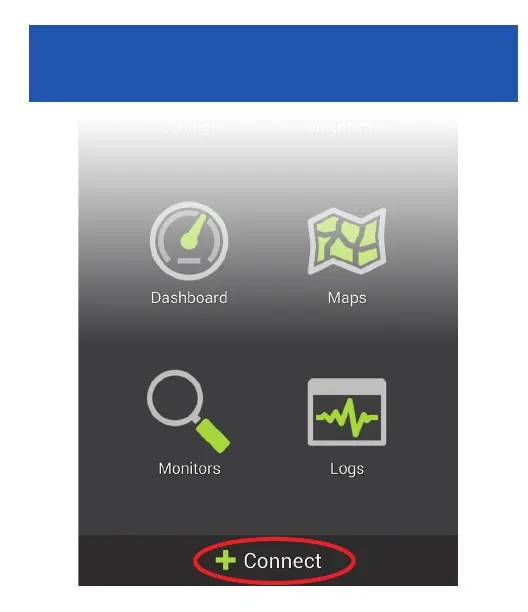
Launch the OBDLink app, and tap
‘Connect’
11
12
Choose ‘Bluetooth’
Choose ‘OBDLink MX’
– Need help? Go to obdlink.com/support
or scan the QR code
– For advanced configurations, go to obdlink.com/setup
or scan the QR code
Once the app establishes a connection with MX, the
‘BT’ LED will turn on solid. Tap ‘Diagnostics’ to start
a scan.
MX will now appear as ‘Paired’:
Tap ‘OK’ in the ‘Bluetooth pairing
request’ dialog
9


 To Next Page