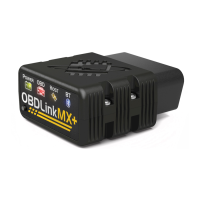
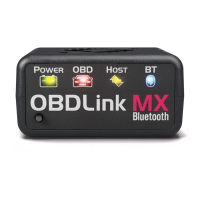
Unable to pair: Press the “Pair” button
(step 4) and make sure the Bluetooth LED is
blinking fast. If problems persist, disconnect
phone from all other Bluetooth devices
Unable to connect to vehicle: Make sure the
ignition is in the “On” position
OBDLink device not appearing in phone’s
Bluetooth device list: Perform a factory
reset by pressing & holding the “Pair” button
for 15+ seconds (power LED will ash rapidly).
Proceed to step 4
Firmware update failed:
• Open the OBDLink app
• Tap “Settings” then “Firmware Updates”
• Tap “Menu” (“...” on some devices)
• Select “Firmware Recovery”, tap “Yes”
• Make sure your OBDLink device is selected
and tap “Update Firmware”
• Tap the green “Update Firmware” button
You may get a pop-up saying “OBDLink
Device Not Found”, this is normal if there are
no OBDLink devices registered. Tap “OK”
Troubleshooting
facebook.com/obdlink
twitter.com/obdlink
Do we deserve ve stars?
Share your experience
leave an review
obdlink.com/support
support@obdlink.com
Did we mess up?
Let our friendly support team make it right
“Pair” button
10R-05 8941
Contains FCC ID
X3ZBTMOD4
007-AH0212
OBDLink MX+ Getting Started
OBD Solutions, LLC hereby conrms that the product
branded “OBDLink MX+” complies with:
• Reach EC No 1907/2006
• ROHS Directive 2011/65/EU
• EU Radio Equipment Directive (2014/53/EU)
• EU Electromagnetic Compatibility (2014/30/EU)
• Frequency spectrum Min: 2400 MHz Max: 2483.5 MHz
• Radio Transmission Max Output Power: +6dBm
• CE Conformity date of issue: September 16, 2018
Regulatory Compliance


 To Next Page
 Loading...