EasyManua.ls Logo

occiam T17 - User Manual

occiam T17
8 pages
Print Icon
To Next Page IconTo Next Page
Loading...
occiarrt
T17 User Manual
True Wireless Earbuds
l':'i®iffi!taffiW
Charging Case
x1
Type-C Cable
x1
User Manual
x1
Wireless Earbuds x2
L)
L)········S
LJ
LJ········M
uu········L
Ear tips
x3
Note: Please Remove Protective Films
of
The LED Power
Display and Charging Contacts Before Using It.
•·klMiMI
Volume+
Volume-
00
MIC
Charging
Pins
Charging
Case
Power
Display
14t¥ffil41fluHHIJ
1.Bluetooth Version: BT5.0+EDR
2.Supports: HSP/HFP/A2DP/AVRCP
3.Charging Interface: Point-Contact
4.Charging Port: Type-C
LED
Indicator
Light
MFB
'
~ '
' '
Type-C
',
_,
Charging
Port
Earbuds
Power
Display
5.Battery Capacity: (Li-ion battery inside) Earbud: 50mAh
Charging case: 600mAh
6.Battery Life: Twin Earbuds will last 8 hours on single fully
charge(Actual battery life changes with
the
song types and
volume requirements)
?.Standby Time:
Up
to
100 hours
a.Charging Time: 1-1.5 Hrs
for
earbuds / 2Hrs
for
charging case
9.Transmission Range: 33 feet (with no obstacle)
10.Earbud Weight/Size: 0.28 oz/PC;
2.1
•1.4•1.o in
11.Charging Case Weight/Size: 2.19 oz/PC; 3.s•2.4•1.3 in
:ffi5j.j{j,.jijffiffiQ,j.j,\ij)),i,j,,
..
,.,.
(Prior
to
first use - Please be sure both
the
Earbuds and
the Charging Case are fully charged.)
Step 1 - Take both headphones
out
of
the charging case, the twin
Earbuds will power on and pair
with each other automatically.
[If
the
earbuds are not connected
to
your device over 3 minutes,
the earbuds will
power
off
automatically. Tum on the
headphones manually
by
pressing
down
the
MFB about 3
seconds at
the
prompt "Power
on" and one beep sound.]
"R" earbuds alternate flash
red-blue light and "L" earbuds
flash blue light means TWS
pairing done.
Step 2 - Activate Bluetooth setting on your phone, search and
choose
1
'T17" to
connect.
[There should be voice prompt"connected" if you wear
the earbuds.]
Earbuds' indicator light
off
means already connect with mobile.
1Z:OO
..all"?"•
Bluetooth
OPEN
C)
Automatically
re-connection:
The
last
paired
device
will
reconnect
the
earbuds
by
default
after
the
first
successful
connection.
Question and Answer IconNeed help?

Do you have a question about the occiam T17 and is the answer not in the manual?

Summary

Whats in the box?

Overview

Product Parameters

Lists technical specifications like Bluetooth version, battery capacity, charging time, and dimensions.

Pairing Instructions

Tips

How to wear the earbuds correctly?

Explains how to wear the earbuds, including adjustable ear hooks for a snug fit.

How to place headphones

Illustrates the correct placement of the left and right earbuds in the charging case.

Functions

For Call

Details how to answer, end, and reject calls using the earbuds' controls.

For music

Explains music playback controls like play/pause, track skipping, and volume adjustment.

Charging

Earbuds Charging

Describes how earbuds charge, indicating LED lights and when charging stops.

Charging Case Charging

Explains how to charge the case using a Type-C cable and its digital display.

Charging Warning

Provides warnings about oxidized connectors, automatic power off/on, and using approved chargers.

Storage and Maintenance

Offers recommendations for long-term storage and using FCC-approved chargers.

FAQ

Overview

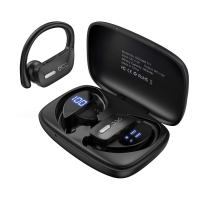
The Occiam T17 True Wireless Earbuds are designed for an immersive audio experience, offering both convenience and comfort for various activities. These earbuds come with a charging case that not only protects them but also provides additional power on the go. The package includes the earbuds, a charging case, a Type-C charging cable, three sets of ear tips (S, M, L) to ensure a snug fit, and a user manual for guidance. Before first use, it's important to remove any protective films from the LED power display and charging contacts to ensure proper functionality.

Function Description

The Occiam T17 earbuds are true wireless headphones, meaning they operate without any physical connection between them or to your audio source. They connect to your device via Bluetooth, offering a stable and reliable connection for listening to music, making calls, and interacting with your device's voice assistant. Each earbud features a Multi-Function Button (MFB) for controlling various functions, along with volume controls (Volume + and Volume -) and a microphone for calls. LED indicator lights on the earbuds provide visual feedback on their status, such as pairing and charging. The charging case itself has a power display that shows the remaining battery level, ensuring you're always aware of its charge status.

Usage Features

Pairing: To begin using the T17 earbuds, ensure both the earbuds and the charging case are fully charged. Take both earbuds out of the charging case; they will automatically power on and attempt to pair with each other. The "R" earbud will flash red-blue light alternately, while the "L" earbud will flash blue light, indicating successful TWS (True Wireless Stereo) pairing. If the earbuds don't connect to your device within 3 minutes, they will power off automatically. You can manually turn them on by pressing the MFB for about 3 seconds until you hear "Power on" and a beep sound. Once paired with each other, activate Bluetooth on your phone, search for "T17," and select it to connect. A voice prompt "connected" will confirm the connection if you are wearing the earbuds. The earbud indicator lights will turn off once connected to your mobile device.

Automatic Re-connection: The T17 earbuds are designed for convenience, automatically reconnecting to the last paired device by default after the first successful connection. This feature allows for quick and seamless use without needing to re-pair every time.

Single Mode Use: These earbuds offer flexibility, allowing you to use them together in dual mode or individually in single mode. To use a single earbud, simply take one out of the case and connect it to your phone. If you're using dual mode and wish to switch to single mode, you can either manually turn off one earbud or place it back into the charging case. The remaining earbud will then operate in single mode.

Wearing the Earbuds: The T17 earbuds are designed with ear hooks for a secure fit, especially during physical activity. To wear them correctly, take out the "R" earbud and place it on your right ear. The ear hooks are adjustable, allowing you to bend them to fit your ears more tightly if needed, ensuring comfort and stability.

Call Functions:

  • Answer a call: Click the MFB once.
  • End a call: Click the MFB once.
  • Reject an incoming call: Quick Double-Click the MFB.

Music Functions:

  • Play/Pause: Click the MFB once.
  • Previous Song: Quick-Double Click the "L" MFB.
  • Next Track: Quick-Double Click the "R" MFB.
  • Activate Siri (Voice Assistant): Quick-Triple Click the MFB.
  • Volume Up: Press the "+" Button.
  • Volume Down: Press the "-" Button.
  • Power on: Long Press the MFB for 3 seconds.
  • Power Off: Long Press the MFB for 5 seconds.

Note on Single Mode Music Control: When using a single earbud, regardless of whether it's the left or right, you can only skip to the next track by Quick Double-Clicking the MFB. Adjusting the volume or going back to the previous song must be done through your phone. The Play/Pause function remains the same as in twin mode.

Maintenance Features

Earbuds Charging: The earbuds begin charging automatically when placed correctly into the charging slots of the charging case. You can charge both the case and the earbuds simultaneously, or charge the case first and then the earbuds. While charging, the earbuds' LED lights will illuminate red. Once fully charged, the charging case will automatically stop charging, and the earbuds' red LED lights will turn off.

Charging Case Charging: The charging case is charged using the included Type-C USB charging cable. Connect the cable directly to the case. During charging, the digital display on the case will flash and show the battery level in real-time. Upon full charge, the display will show "100."

Charging Warning and Troubleshooting:

  • If, after a period of use, the earbuds fail to charge or turn on, it might be due to oxidized magnet connectors. This can be resolved by cleaning the magnet connectors on both the earbuds and the charging case with an alcohol rag.
  • The earbuds are designed to automatically turn off and begin charging when placed back into the charging case. Similarly, they will automatically turn on and pair when removed from the case.
  • If the earbuds cannot be charged or disconnected from your phone even when placed in the case, ensure the charging case itself is not in low battery. A low-battery charging case cannot charge the earbuds or facilitate disconnection. In such cases, fully charge the charging case using the Type-C cable.

General Storage and Maintenance:

  • If the earbuds are left unused for more than 3 months, it is recommended to charge them to maintain battery health.
  • Always use FCC (Federal Communications Commission) approved chargers to ensure safety and prevent damage.
  • Do not disassemble the earbuds.
  • Adult supervision is required for children aged 6 and under when using the device.
  • Avoid exposing the earbuds to high or low temperatures. Do not use them during a thunderstorm.
  • Prevent the device from falling or experiencing violent impacts.
  • Keep the device away from fire and do not immerse it in water.
  • Do not use oil or any volatile liquid to clean the product.

Troubleshooting Common Issues:

  • Earbuds not pairing with mobile phone:
    1. Ensure the earbuds are fully charged and powered on.
    2. Verify that Bluetooth is enabled on your phone.
    3. If issues persist, place the earbuds back into the case, close it, wait for 1 minute, then open the charging case and attempt to reconnect with your phone.
  • Music cutting in or out:
    1. Maintain a distance of no more than 33 feet (without obstacles) between the earbuds and your phone.
    2. If the distance is within 33 feet and the issue occurs, place the earbuds back into the case, close it, "forget" "T17" on your phone's Bluetooth settings, and after 10 seconds, open the case and reconnect.
  • Earbuds not charging or disconnecting when in case:
    1. Ensure the charging case is not in low battery. If it is, the earbuds will not charge or disconnect. Fully charge the charging case using the Type-C cable.
  • Sweat proof and waterproof: The earbuds are rated IPX5, meaning they are sweat-proof and slightly waterproof. However, it is not recommended to soak them in water as they are electronic products.

occiam T17 Specifications

General IconGeneral
Bluetooth Version5.0
Charging Time1.5 hours
Frequency Response20Hz-20kHz
Impedance32Ω
Charging Case Battery Life24 hours
MicrophoneBuilt-in