EasyManua.ls Logo

occiam T9 - User Manual

occiam T9
14 pages
Print Icon
To Next Page IconTo Next Page
Loading...
Oveiew
T9 User Manual
True Wireless Spos Earbuds
Charging
Contacts
Microphone
Earbud LED
Indicator Light
Ear Tips
What's in the box?
Wireless Earbuds x2Charging Case x1
Type-C Cable x1
User Manual x1
Ear Tips x3
Default M size on the earbuds
Type-C
Charging Po
Note: Please remove the protective lms from the LED power
display and charging contacts before using it.
How to Wear?
Voice Assistant
Reset
When should I reset?
When only one side plays music.
When you can' t use both earbuds together.
When both earbuds fail to pair with each other or occur
connection related issues.
How to reset T9?
Before resetting, please ensure that the charging case
and both earbuds are not in a low batte status.
1. Place both earbuds in the case and leave the case open.
2. Press and hold the Facto Recove Key on the case
for 5 seconds or until the LED indicator lights on both
earbuds ash red and blue 3 times.
Charging
Earbuds Charging
The earbuds will ale you with a voice prompt saying
'Low batte, please charge' when the batte level is low.
Please place the earbuds inside the charging case, and
they will automatically enter charging mode.
- Flash red breathing light
during charging.
- Once fully charged, the
light will become red light
then go o10s later.
Charging Case Charging
After inseing the charging cable into the USB Type-C
charging po on the case, the case will automatically
sta charging.
How do I check the batte level of the charging
case?
The LED on the case indicates the batte level when you
place the earbuds into the charging case or when the
case is being charged.
Triple Tap
(in non-playing status)
3x
Siri or other
voice assistants.
S
M
L
Tap Once
Tap Once
Press on 2s
Reject
2s
or
Hand Up
1x
Answer
1x
Note: You can check the power level of the earbuds in
the Bluetooth list or in the notication bar after
connecting them to your phone.
To avoid charging failures, please clean the charging
contacts of the earbuds and the charging pins of the
charging case promptly.
L
R
L
R
T9 User Manual
True Wireless Spos Earbuds
R
Multi-functional
Button(MFB)
Earhook
Facto Recover Key
Charging Pins
Manual Power On
When the earbuds are in the shut down state and not in
the charging case:
- Press and hold the MFB (Multi-Function Button) on the
R earbud for 2 seconds to power R earbud on.
- Press and hold the MFB on the L earbud for 2 seconds
to power L earbud on.
Manual Power O
If the earbuds are not in the charging case, press and
hold either earbud’s MFB for 5 seconds to power o
both earbuds.
RL
R
1. Choose the best comfoable ear tips to wear on the earbuds.
Power On/O
L
or
The LED screen will display an incremental change of
power from 0 to 100 during charging. When it reaches
100, it indicates a full charge.
Input: DC 5V
Flash red and blue lights 3 times.
(Before the rst use, please ensure that both the earbuds
and the charging case are fully charged.)
1. Take out both earbuds from the charging case. Both
earbuds will power on automatically and enter pairing
mode.
(P.S. In pairing mode, one earbud indicator will ash red
and blue alternately, while the other earbud indicator will
ash blue slowly.)
2. Then, search for 'T9' on your device and click to connect.
Note: The earbuds will reconnect to the previously
paired device by priority. If you want to pair them with
a second device, please disconnect the Bluetooth
connection on the paired device. Additionally, if the
earbuds are not connected to any devices for over 5
minutes, they will automatically power o.
12:00
Bluetooth
Bluetooth
MY DEVICES
T9
Now discoverable as "My iphone".
OTHER DEVICES
Connected
Press and hold for 5 senconds
Music
Press and Hold
Double Tap
Press and Hold
Double Tap
Tap Once
During music playing
1x
2x
2x
or
L
R
Play/Pause
L
R
Press 5 seconds
Press 2 seconds
and
or
- LED lights ash fron 1st grid to 4th grid repeatedly during
charging.
- LED light will turn oonce fully charged.
R
S
M
L
Phone Call
Bluetooth Version 5.3
Model No. T9
HSP/HFP/A2DP/AVRCP3
Type-C
Earbuds: 50mAh 3.7V, 0.185Wh
Charging Case: 600mAh 3.7V, 2.22Wh
8h on single charge
1h-1.5h for earbuds
2h for charging case
33 feet (with no obstacle)
Suppos Prole
Charging Po
5V 1A
Input
Batte Capacity
Earbuds Batte Life
Charging Time
Transmission Range
Product Parameters
1. If the earbuds have been unused for more than 3 months, we
recommend that you charge them.
2. Please use chargers that are FCC (Federal Communications.
Commission) approved.
3. Do not disassemble Earbuds.
4. Adult supeision is required for children age 6 and under.
5. Do not expose the earbuds in high or low temperature, do not
use the earbuds in a thunderstorm. Avoid falling or violent impact
of the device. Keep the device away from re, do not put the
device in water.
6. Do not use oil or any volatile liquid to clean this product.
Using the wrong batte can cause re and other hazards
(for example, in the case of some lithium batte types).
1. Disposal of a batte into re or a hot oven, or mechanically
crushing or cutting of abatte, that can result in an explosion.
2. Do not leaving a batte in an extremely high temperature
surrounding environment thatcan resuilt in an explosion or
the leakage of ammable liquid or gas.
3. A batte subjected to extremely low air pressure that may
result in an explosion or the leakage of ammable liquid or
gas.
Batte Warning
Storage and Maintenance
FCC Warning Statement
Changes or modications not expressly approved by the
pay responsible for compliance could void the users
authority to operate the equipment. This equipment has been
tested and found to comply with the limits for a Class B
digital device, pursuant to Pa 15 of the FCC Rules. These
limits are designed to provide reasonable protection against
harmful inteerence in a residential installation. This
equipment generates uses and can radiate radio frequency
energy and, if not installed and used in accordance with the
instructions, may cause harmful inteerence to radio
communications. However, there is no guarantee that
inteerence will not occur in a paicular installation. If this
equipment does cause harmful inteerence to radio or
television reception, which can be determined by turning the
Any questions, please send message to us, we’ll help you
solve it as soon as possible. You can choose us with
condence. Thanks.
Charging Indicator
for Earbuds
Charging Case
Power Display
equipment oand on, the user is encouraged to t to correct
the inteerence by one or more of the following measures:
Reorient or relocate the receiving antenna.
Increase the separation between the equipment and receiver.
Connect the equipment into an outlet on a circuit dierent
from that to which the receiver is connected.
Consult the dealer or an experienced radio/TV technician
for help.
This device complies with pa 15 of the FCC Rules. Operation
is subject to the following two conditions:
(1) This device may not cause harmful inteerence, and
(2) this device must accept any inteerence received, including
inteerence that may cause undesired operation.
R
Charging Contact
ChargingPin
Caution
2. Choose the right angle and eaips.
Protective Grille
Please clean the protective grille of both earbuds if the
sound becomes low.
Please clean the magnet charging contact on earbud and
charging pin on the charging case with alcohol wipes if the
headphones can't be charged.
尺寸:72*120mm
材质:128g铜版纸
工艺:四色印刷
Note: In single ear mode, the button does not suppo volume
control. Please adjust the volume directly on your device.

Question and Answer IconNeed help?

Do you have a question about the occiam T9 and is the answer not in the manual?

Summary

Whats in the box?

Overview

How to Wear?

Caution

Power On;Off

Manual Power On

Instructions for manually turning on both earbuds by pressing the MFB for 2 seconds.

Manual Power Off

Instructions for manually turning off both earbuds by pressing the MFB for 5 seconds.

Music

Voice Assistant

Phone Call

Reset

When should I reset?

Guidance on when to perform a factory reset for the earbuds.

How to reset T9?

Step-by-step instructions on how to perform a factory reset on the T9 earbuds.

Charging

Earbuds Charging

Details on how to charge the earbuds and their indicator light behavior.

Product Parameters

Battery Warning

Storage and Maintenance

FCC Warning Statement

Overview

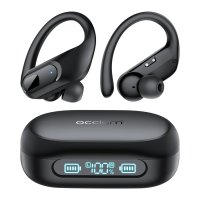
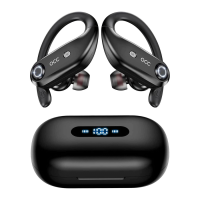
The Occiam T9 True Wireless Sports Earbuds are designed for an active lifestyle, offering a blend of comfort, functionality, and durability. These earbuds come with a charging case, a Type-C cable, and a user manual, ensuring you have everything needed to get started. Three sizes of ear tips (S, M, L) are included, with the M size pre-installed, allowing users to find the most comfortable and secure fit for their ears.

Function Description

The Occiam T9 earbuds are true wireless stereo (TWS) devices, meaning they operate independently of each other and connect wirelessly to your audio source. They are primarily designed for music playback and phone calls, offering a seamless audio experience for various activities, especially sports, thanks to their earhook design which provides a secure fit.

Usage Features

Power On/Off:

  • Manual Power On: If the earbuds are off and not in the charging case, you can power them on individually. Press and hold the Multi-Function Button (MFB) on the right (R) earbud for 2 seconds to turn it on. Similarly, press and hold the MFB on the left (L) earbud for 2 seconds to power it on.
  • Manual Power Off: To power off both earbuds when they are not in the charging case, press and hold either earbud's MFB for 5 seconds.
  • Automatic Power On/Off: When the earbuds are placed in the charging case, they will automatically power off and begin charging. Taking them out of the case will automatically power them on.

Pairing:

  • Before initial use, ensure both the earbuds and the charging case are fully charged.
  • To pair, simply take both earbuds out of the charging case. They will automatically power on and enter pairing mode.
  • In pairing mode, one earbud's indicator light will flash red and blue alternately, while the other will flash blue slowly, indicating they are ready to connect.
  • On your device (e.g., smartphone, tablet), search for "T9" in the Bluetooth settings and click to connect.
  • Reconnection: The earbuds prioritize reconnecting to the last paired device. If you wish to pair them with a new device, you must first disconnect them from the previously paired device. If the earbuds remain unconnected to any device for more than 5 minutes, they will automatically power off to conserve battery.

Wearing the Earbuds:

  • Ear Tip Selection: Choose the ear tips that provide the best comfort and seal for your ears.
  • Proper Fit: Adjust the angle of the earbuds and ear tips to ensure a secure and comfortable fit, especially important for sports activities. The earhook design helps keep them in place.

Music Control:

  • Play/Pause: Tap either the left (L) or right (R) earbud's MFB once to play or pause music.
  • Volume Up (R Earbud): During music playback, press and hold the MFB on the right earbud to increase the volume.
  • Volume Down (L Earbud): During music playback, press and hold the MFB on the left earbud to decrease the volume.
  • Next Track (R Earbud): Double-tap the MFB on the right earbud to skip to the next track.
  • Previous Track (L Earbud): Double-tap the MFB on the left earbud to go back to the previous track.
  • Single Ear Mode: In single ear mode, volume control is not supported directly from the earbud. You will need to adjust the volume on your connected device.

Voice Assistant:

  • Activate Voice Assistant: Triple-tap either the left (L) or right (R) earbud's MFB (when not playing music) to activate your device's voice assistant (e.g., Siri).

Phone Call Control:

  • Answer Call: Tap either the left (L) or right (R) earbud's MFB once to answer an incoming call.
  • End Call: Tap either the left (L) or right (R) earbud's MFB once to end an ongoing call.
  • Reject Call: Press and hold either the left (L) or right (R) earbud's MFB for 2 seconds to reject an incoming call.

Charging:

  • Earbuds Charging: When the earbud battery is low, you will hear a "Low battery, please charge" voice prompt. Place the earbuds into the charging case, and they will automatically enter charging mode. During charging, a red breathing light will flash on the earbuds. Once fully charged, the light will turn red and then go off after 10 seconds.
  • Charging Case Charging: Insert the Type-C charging cable into the charging port on the case. The case will automatically begin charging. The LED screen on the case will display the battery level, incrementing from 0 to 100 as it charges. A display of "100" indicates a full charge.
  • Checking Battery Level: You can check the power level of the earbuds in your phone's Bluetooth list or notification bar once connected. The LED display on the charging case also indicates its battery level when earbuds are placed inside or when the case is being charged.

Resetting the Earbuds:

  • When to Reset: Resetting is recommended if only one earbud plays music, if both earbuds fail to connect together, or if you experience other connection-related issues.
  • Reset Procedure:
    1. Ensure the charging case and earbuds are not in a low battery state.
    2. Place both earbuds into the charging case and leave the case open.
    3. Press and hold the Factory Recovery Key on the charging case for 5 seconds. The LED indicator lights on both earbuds will flash red and blue 3 times, confirming the reset.

Maintenance Features

Cleaning:

  • Sound Issues: If the sound quality becomes low, clean the protective grille on both earbuds.
  • Charging Issues: If the headphones are not charging, clean the magnet charging contacts on the earbuds and the charging pins inside the charging case using alcohol wipes. This helps ensure a proper connection.

Storage and General Maintenance:

  • Long-Term Storage: If the earbuds will be unused for more than 3 months, it is recommended to charge them to maintain battery health.
  • Charger Compatibility: Always use FCC-approved chargers.
  • Avoid Disassembly: Do not attempt to disassemble the earbuds.
  • Supervision for Children: Adult supervision is required for children aged 6 and under when using the earbuds.
  • Environmental Precautions:
    • Do not expose the earbuds to extremely high or low temperatures.
    • Avoid using the earbuds during thunderstorms.
    • Protect the device from falling or violent impacts.
    • Keep the device away from fire.
    • Do not immerse the device in water.
  • Cleaning Agents: Do not use oil or any volatile liquid to clean the product.

By following these guidelines, you can ensure optimal performance, longevity, and safety for your Occiam T9 True Wireless Sports Earbuds.

occiam T9 Specifications

General IconGeneral
Driver Size40mm
Frequency Response20Hz-20kHz
Impedance32Ω
Ear Cushion MaterialProtein Leather
Sensitivity105dB
Connection3.5mm

Related product manuals