2 3 4 5
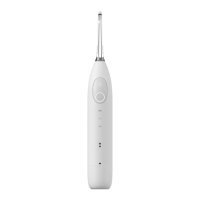
Oclean W1 Smart Oral Irrigator
User Manual
This indicates that the content of toxic and hazardous substances in all
homogeneous materials of this component is less than the limited quantity as
specified in GB/T 26572-2011.
This indicates that the content of toxic and hazardous substances in at least one
of the homogeneous materials of this component is more than the limited
quantity as specified in GB/T 26572-2011.
Except for very few materials, due to technical development reasons, most of
the materials used are environmentally friendly. Please use this product with
confidence during the environmental protection period.
Remarks
Toxic and harmful substance or element Toxic and harmful substance or element
Name
of parts
Name
of parts
Vibrating motor
Accessories
Battery
PCBA
FPC
Plastic parts
Environment
Protection
Environment
Protection
10 years
10 years
5 years
Metal hardware
Product Name
Model
Charging
Input
Battery life*
Battery capacity
Charging time
Standard
Product specifications
Oclean W1
Water tank capacity
30 ml
Oclean W1 Smart Oral Irrigator
Oclean magnetic charging
Input Power 2.5 W
5V 0.5A
30 days
1200 mAh
3 hours
GB 4706.1-2005 GB 4706.59-2008
Waterproof level
IPX5
Warranty Card
1. These clauses only apply to Oclean products sold in the country or region where
the purchase is made, if there is any inconsistency or omission with the national
policy, the national policy shall prevail.
2. For performance issues caused by the product itself, one may avail service as
per below regulations with valid proof of purchase:
2.1 A customer can avail warranty service for free within 24 months from the date
of purchase if there is a performance failure caused by the product itself.
3. In order to avail replacement and warranty services, one should show the valid
proof of purchase.
4. Other product related materials (such as Packaging box, Product Manual etc.)
are not covered in warranty.
Product model: Serial Number:
User Information
Problem Description:
Name:
Tel:
Email:
Address:
Date of purchase:
Invoice number:
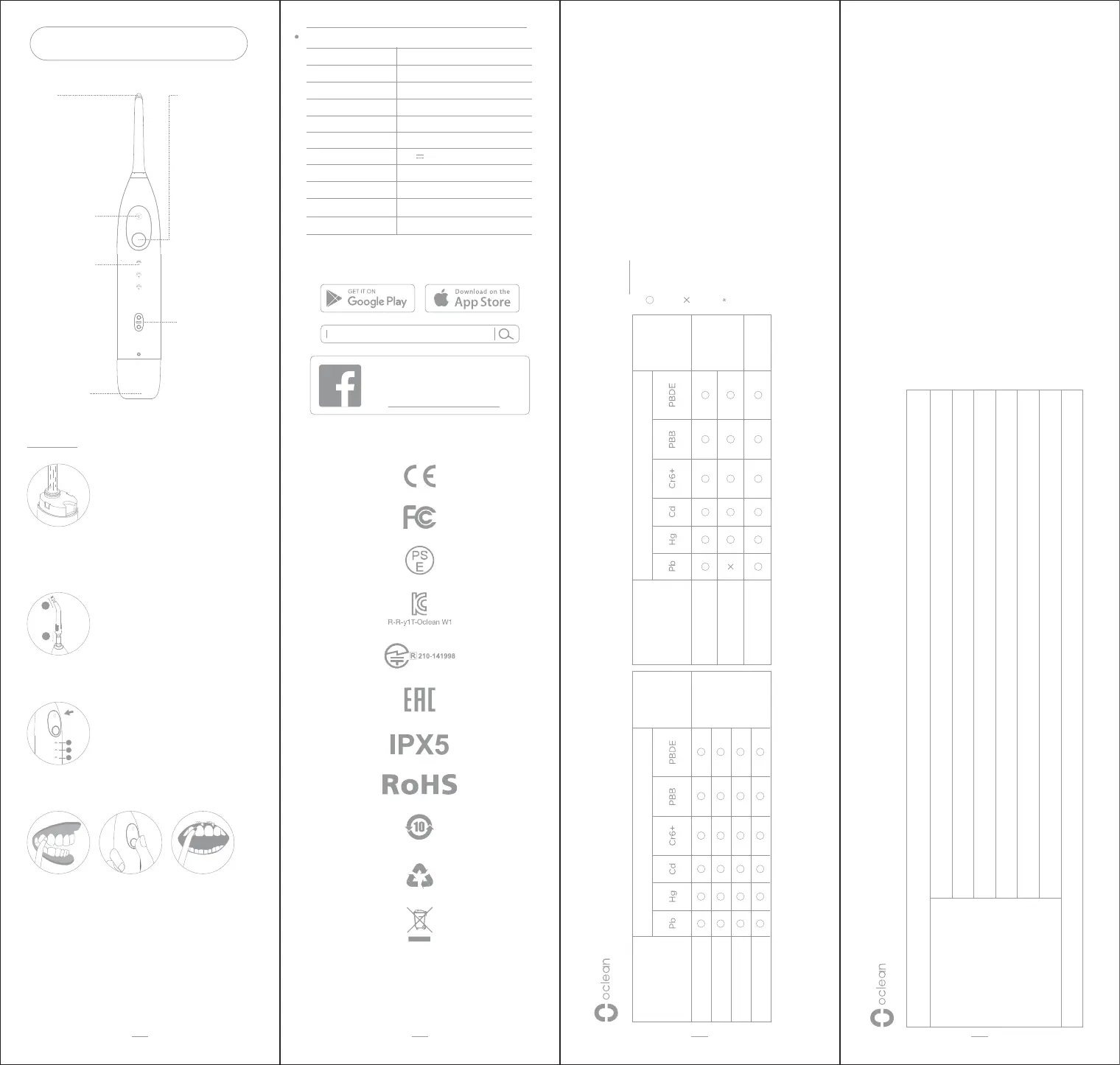
Power button/
charging indicator light
Press the power
button to wake up the
device while in
stand-by mode, the
mode indicator stays
in the latest
memorized mode.
Holding the power
button for a
continuous burst,
release the button to
stop.
Red light flflashing:
Low power reminder;
White light flflashing:
Charging status;
White light on
constantly: Fully
charged.
Nozzle
The nozzle can be
rotated by 360
degrees. When
replacing nozzle, pull
it out vertically.
Insert the nozzle to
bottom until it is
closely attached to
the device body.
Mode indicator light
Level 1 manual burst
Level 2 manual burst
Level 3 automatic burst
(Short press on power
button to start automatic
burst; Support
customization for burst
plans in Oclean App)
Water tank
The water tank can
be removed by
pulling down with a
slight force.
Magnetic charging port
Charging starts after
the charger
magnetically attached
to the charging port.
Mode switch button
Short press to
switch modes.
Instructions
Refill the water tank
Pull down the water tank with a little force to detach it. Fill
water or mouthwash into the water tank (The liquid
temperature should not be over 40℃), then insert the
water tank back into the device.
Installation of nozzle
1. Fix the silicone cap to the nozzle.
2. Insert the nozzle to the device body.
Mode switch
Short press on mode switch, chose the best fit mode, the
device will memorize the latest mode.
Bursting Instructions
Put the nozzle intermittently close to the slit between
teeth. Press and hold the power button to start
cleaning.
Slowly move along the gum line to the next zone,
repeat the cleaning for all slit.
1
2
3
4
1
2
1
2
3
* Remark: Battery life is calculated based on default
mode, working once/day, 1 tank/time.
Oclean
Follow the Oclean Official Facebook Page
Oclean Facebook Page
www.facebook.com/ocleanglobal


 To Next Page
 Loading...