
 Need help?
Do you have a question about the Octagon SF4008 and is the answer not in the manual?
Covers essential safety measures for power supply, disconnection, and handling liquids.
Details on protecting the device from thunderstorms, extreme environments, and ensuring proper ventilation.
Illustrates how to connect satellite dishes and terrestrial/cable sources to the receiver.
Details connections for audio (Optical S/PDIF) and video (HDMI, RCA/Component).
Shows how to connect external digital audio equipment and the television.
Explains the function of each button on the remote control for device operation and navigation.
Provides information on the power type, consumption, input voltage, and protection features.
Lists the physical size specifications (Width x Height x Depth) of the receiver.
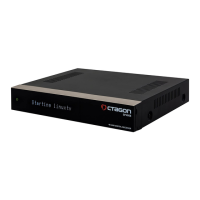
The Octagon SF4008 E2 UHD 4K is an Ultra-HD receiver with an E2 Linux operating system, designed to provide a comprehensive and versatile entertainment experience. This device is built for users who appreciate high-quality visuals and a flexible, open-source operating environment.
The primary function of the Octagon SF4008 is to receive and decode satellite, terrestrial, and cable signals, delivering them to your television in stunning Ultra-HD 4K resolution. Its E2 Linux OS allows for extensive customization and the installation of various plugins, transforming the receiver into a powerful multimedia hub.
The device supports a wide range of audio and video formats, ensuring compatibility with most media files. It features recording capabilities, allowing users to store their favorite programs on an external HDD. The integrated Electronic Program Guide (EPG) provides detailed information about current and upcoming shows, making it easy to plan your viewing.
Connectivity options are robust, including HDMI for high-definition video and audio output, RCA/Component for older televisions, and an Optical S/PDIF for digital audio equipment. The hybrid tuner design means it can handle both terrestrial and cable signals, offering flexibility in signal reception. The ability to attach up to three tuners (with two dual tuners) further enhances its versatility, allowing for simultaneous recording and viewing of multiple channels.
The remote control unit (RCU) is designed for intuitive navigation and control. Dedicated buttons for common functions like power, mute, volume, channel selection, and media playback (play, pause, fast forward, rewind, stop, record) ensure ease of use. Special function keys (F1, F2, F3) can be user-defined for quick access to preferred features or applications. The "Help" button provides on-screen guidance for major operations, assisting users in navigating the device's functionalities. Numeric keys allow for direct channel input, while navigation keys facilitate menu browsing. The "Context" button offers extensions or additional options within specific menus. "Info" displays service information, and "Recall" provides access to viewing history.
Setting up the Octagon SF4008 involves connecting it to your television, antenna (satellite, terrestrial, or cable), and power supply. The Quick Installation Guide provides clear instructions for initial setup. Once powered on, the E2 Linux OS offers a user-friendly interface for scanning channels, configuring network settings, and customizing preferences.
The receiver's E2 Linux OS is a significant usage feature, providing an open platform for advanced users. This allows for the installation of various plugins and add-ons, extending the device's capabilities beyond basic TV reception. Users can access online content, stream media from local networks, and even run various applications, turning the receiver into a versatile home entertainment system.
Media playback is straightforward, with dedicated buttons on the remote for controlling recorded content or media files from an external storage device. The "Playlist" function allows users to manage their recordings efficiently. The "Audio" button enables selection of different audio tracks (e.g., AC3, Stereo) if available.
The "Teletext" function provides access to teletext information for channels that support it, while "TV" and "Radio" buttons allow for quick switching between television and radio channel lists. The "FAV" button provides access to a user-defined list of favorite channels, enhancing convenience for frequent viewers.
The device's ability to support multiple tuners means users can record one program while watching another, or even record multiple programs simultaneously, depending on the tuner configuration. This is particularly useful for households with diverse viewing preferences.
Maintenance of the Octagon SF4008 primarily involves ensuring proper environmental conditions and adhering to safety guidelines. The device is designed for indoor use and should not be exposed to rain, direct sunlight, or extreme temperatures. It is not waterproof and should be kept away from liquids.
Cleaning the device should be done with a dry cloth; wet cloths are explicitly warned against to prevent short circuits. It is crucial to disconnect the power before performing any maintenance or installation procedures, such as connecting or disconnecting antenna cables, to prevent damage to the LNB or the receiver itself.
The manual emphasizes the importance of proper power supply and protection. Users should ensure their power supply falls within the specified range (AC 100V~250V, 50Hz/60Hz) and avoid overloading wall outlets or extension cords. The product incorporates separate internal fuse and lightning protection, offering a degree of self-protection against electrical surges.
For software maintenance, the E2 Linux OS allows for firmware updates, which can improve performance, add new features, and address bugs. Users can typically find updates through the device's menu or via online communities. Regular updates are recommended to keep the system running optimally.
The "WEEE" instructions highlight the importance of responsible disposal at the end of the product's life. The device should not be disposed of with household waste but should be recycled separately to promote sustainable reuse of materials and prevent environmental harm. This reflects a commitment to environmental responsibility in the device's lifecycle.
 General
| Processor | Broadcom BCM7251S |
|---|---|
| RAM | 1GB DDR4 |
| Flash Memory | 8GB eMMC |
| Type | Satellite Receiver |
| S/PDIF | Yes |
| Tuner | 2x DVB-S2X |
| Video Output | HDMI 2.0 |
| USB Ports | 2 x USB 2.0 |
| Ethernet | Gigabit Ethernet |
| Operating System | Linux |
| Card Reader | 1 x Smartcard Reader |
| CI Slot | 1 x Common Interface Slot |
| DiSEqC | 1.0, 1.1, 1.2 |
| Video Decoding | H.265/HEVC, H.264, MPEG-2, MPEG-4 |
| Video Resolution | 1080p |
| Audio Decoding | MPEG-1 Layer I/II |
| Wi-Fi | Optional via USB |
| Power Supply | 12V DC |

 To Next Page

