BATIERY
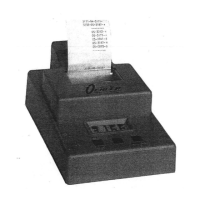
The nine-volt alkaline battery used in the Model 35P is the same size
commonly used in radios and smoke detectors. The word alkaline
is
very
important. Many
junk
batteries are labeled with Heavy Duty, Industrial
Strength,
Super Power, or other impressive names.
If
the battery isn't
alkaline, it probably won't work the printer.
If
you use a rechargeable "nine-
volt" nicad battery, note that many are actually only 7.2 volts.
Operation
of
the printer will be marginal.
A fresh alkaline battery typically powers a
M35P for
25
hours including 1000
lines
of
printer use. The battery will typically power the M35 for 50 hours
of
operation without the printer.
If
a printer
is
in use, the state
of
the battery
is
obvious. With a fresh battery, the printer will print a line
in
approximately
two seconds. With the battery almost exhausted, the printer slows to three or
four seconds per line. The slow print speed does not affect the accuracy
of
the velocity measurement. The velocities shown are accurate until the printer
just stops. Note: Just because you bought a new battery does not mean that
it is a good battery, usually, but not always.
The battery compartment
of
the M35 holds two batteries, one acti
ve
and one
spare. Contrary to custom,
Oehler ships the M35 with a hattery installed.
Consider this first hattety to be the first
of
many spares, and always keep a
spare battery
in the M35. Always use the spare to replace a dead battery,
and don't forget to replace the spare with a fresh battery. A spare at home
in
the smoke detector doesn't count on the range. -
The M35 has
no
ON/OFF power switch. Over the years we've found that the
most likely cause
of
a dead battery is putting away a unit with the power
switch left on, or the power switch being turned on accidentally. We've
mi
ss
ed
the velocities
of
many shots because
we
had our chronograph turned
off. The M35 turns on when the start skyscreen
is
plugged in, and it
is
off
when the start skyscreen
is
unplugged. You aren't likely to transport or store
your unit with the screens plugged in, and the screens won't plug themselves
lD.
Pa
ge
12
EDIT
MODE
The edit mode provides a replay
of
the velocities in a group, and allows you
to omit one or more velocities from the summary. We provide both
an
edit
mode and a switch to cancel the edit mode.
You must select
or
cancel the
edit mode before the sky screens are plugged
in
. You cannot change modes
after a test
is
started.
In the edit mode you can shoot and observe velocities in the usual fashion.
At any point during or following a group,
you
can begin the edit function by
pushing the
RESETIEDlT button once. The display will show Edit. Begin
the velocity replay by pushing the
SUMMARY/STEP button.
It
will show
shot
0001 and the velocity. You can omit this shot from the summary by
pushing the
OMIT
button, or step to the next shot with the STEP button.
Step through the group by pushing the SUMMARY/STEP button or the
OMIT button at each shot. When the display shows ---- you can fire more
shots, repeat the replay and edit,
or
reset the unit by pushing the
RESETIEDIT button twice. The unit
is
ready for new group when the
display shows
---0.
Use
the edit function
as
an aid to calculating a summary. You can't use it to
forget undesirable data and print a clean tape. When a shot is omitted with
the edit, it is not forgotten.
It
is
excluded from the following summary. The
velocity remains in memory and reappears
if
the group
is
replayed again.
For example,
if
you fired two five-shot groups and recorded them
as
one ten-
shot group, you can still get a separate summary for each five-shot group.
Edit the group, omitting the last five shots, and you get a summary
of
the first
five shots. Edit again, omitting the first five shots, and get the summary
of
the last five shots. The unit stores a maximum
of
20 shots
in
the edit mode.
After it has recorded
20 shots, the display indicates FULL. At this point you
can edit and summarize, but you can't add any more shots.
Too complicated? Leave Switch 6
OFF, and forget about the edit mode.
Some
of
us
still dislike computers and can't remember how
to
set our digital
watch.
Page
13


 To Next Page
 Loading...