
 Need help?
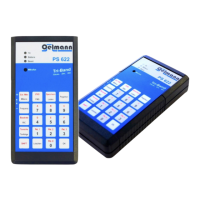
Do you have a question about the Oelmann Elektronik PS 622 and is the answer not in the manual?
Guidelines for safe handling, battery disposal, and keeping the device away from children.
Instructions for setting the device's carrier frequency to specific values using the <Frequenz> command.
Activates the carrier with a test tone, specifying frequency and duration.
Details various methods and protocols for transmitting tone sequences, including ZVEI, CCIR, EEA, and siren tones.
Configures POCSAG data stream transmission parameters like baud rate and data inversion.
Details on transmitting POCSAG data streams in BOSKRYPT encryption mode.
Details on transmitting POCSAG data streams in BOS PV mode.
Details on inputting RIC numbers and assigning function codes for POCSAG transmissions.
Describes POCSAG group call setup using PC software in no encryption and BOSKRYPT modes.
Explains tactical group calls, alarm-RICs, and text transmission for POCSAG group data.
Details how to transmit German FMS calls using the TR BOS / 1200 Baud FFSK protocol.
Explains the process for transmitting ZVEI and digital calls using the 1200 Baud FFSK protocol.
Procedure for saving current device settings to memory slots.
Instructions for loading settings from memory slots and carrying out stored functions.
How to stop functions and delete input errors using the <Löschen> button.
Procedure for activating the RF carrier with microphone for analog voice pager tests.
Using the <SHIFT> key to input additional codes (A-F) for FMS and ZVEI protocols.
Explanation of the meaning of Yellow, Green, and Red LED status indicators.
Meaning of different acoustic signals (beeps) for button presses, status, and errors.
Using the USB port for PC control and powering the unit.
Connecting the adapter cable for external control and signal lines.
Description of the RG-45 to 9-pin D-Sub accessory cable and its pin assignment.
Summary of frequency range, signaling protocols, range, power supply, size, weight, and temperature limits.
Statement of compliance with EU directives for essential requirements.
Information on proper disposal of electronic and electrical equipment according to regulations.
Contact details, address, and website for Oelmann Elektronik GmbH for service and repair.
 General
| Brand | Oelmann Elektronik |
|---|---|
| Model | PS 622 |
| Category | Test Equipment |
| Language | English |

 To Next Page