USER MANUAL DAYCOR®SUPERB
12
• Further reduce the UV gain until you see a small repetitive corona spot and the
screen is almost clean from random background.
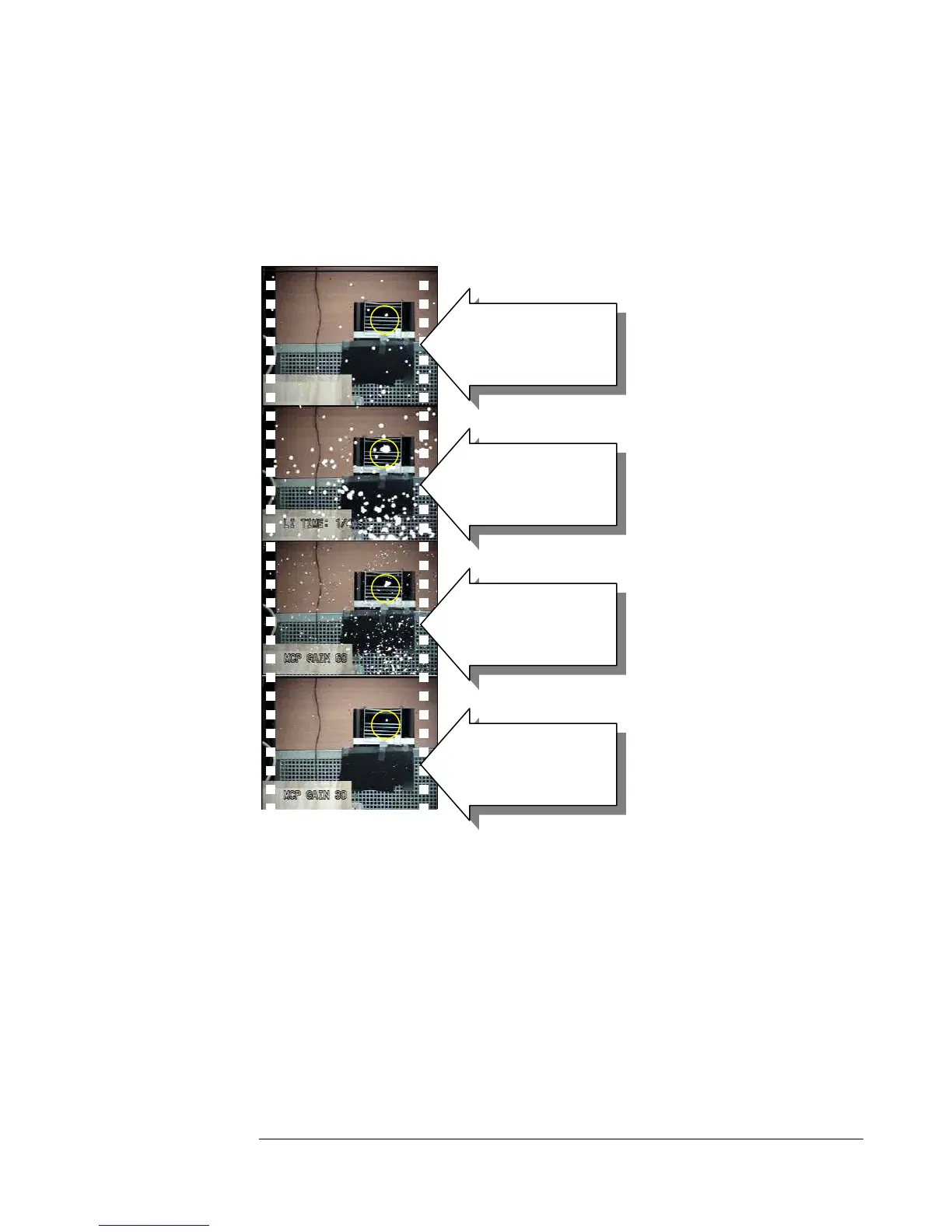
Below is an example with Ofil's laboratory corona generator. The corona is in the
yellow circle and the background noise is due to a nearby UV lamp.
When operating in the LI mode the UV channel of the DayCor® Superb camera turns
into a slow response instrument. If the camera moves relative to the UV source the UV
image will be smeared. When recording while operating in the LI mode, the camera
should preferably be used from a tripod, or the operator should be able to hold the
camera without moving it
disturbing background
(Gain is 180 LI =0)
Time integration is on (Gain
is 130 LI =3 sec)
Time integration is increased
and gain reduced (Gain is 60
LI =31 sec)
background disappears
(Gain is 30 LI =31)



 To Next Page