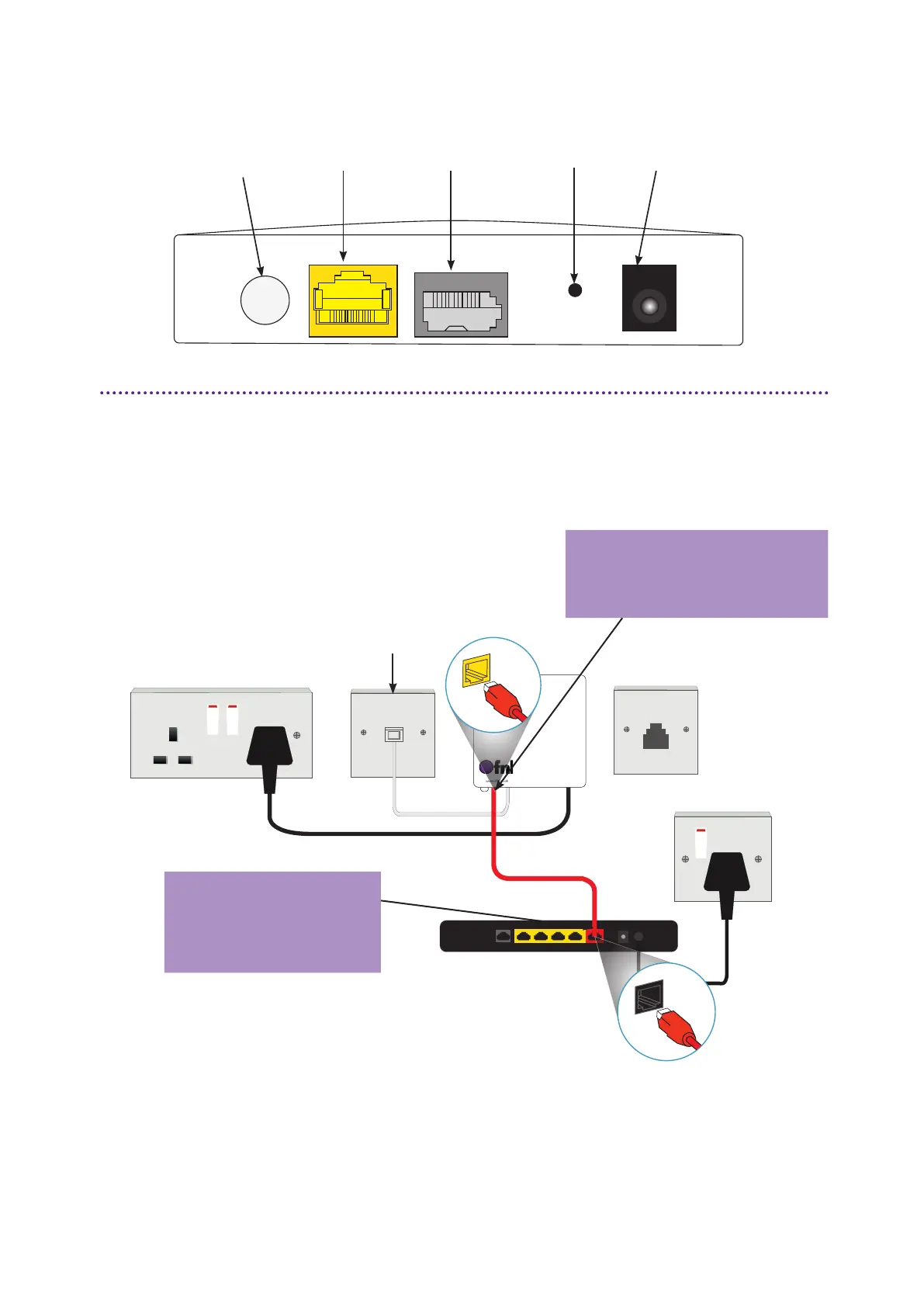
On/Off switch LAN port Phone Reset Power
Connecting your ONT to your router*
The ports on your ONT
Connect directly to your ONT
To connect your router to your internet enabled devices using a wired connection;
• Using another Ethernet cable, plug one end into any of the LAN ports on your router.
• Take the other end of the cable and plug this directly into your device.
*The router colour and model may vary depending on the service provider you choose
WAN
LAN
Take one end of an Ethernet
Cable and plug this in to the
LAN port of your ONT.
Use the other end of
the cable and connect
this to the WAN port
on your router.
Telephone
patch cable



 To Next Page