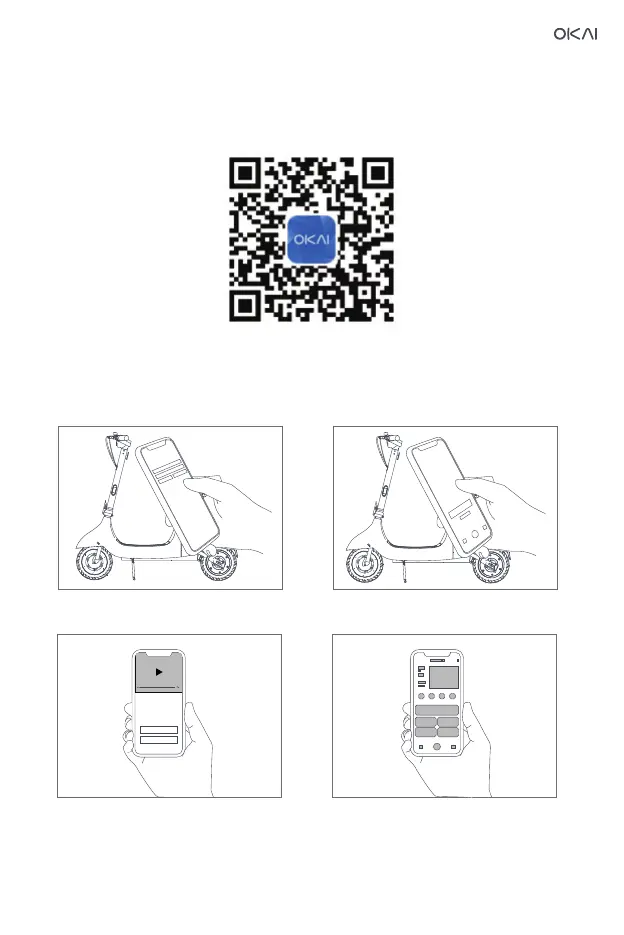
18.Activate the app
Please scan the QR code to download the app (the system version and Bluetooth version
are subject to the actual requirements of the app). You can find the cruise control function
in the app, and discover more ways to use the scooter.
Now, you can use your car, check the status of the car and detect the car through the app.
Please enjoy the ride.
③Watch the driving guide ④Start exploring a new riding experience
② Open the app, click "Search for Device".
Follow the app prompt to pair with and
connect to the scooter.
①Install APP, please register/login
23


 To Next Page