EasyManua.ls Logo

Oki B 4600n - User Manual

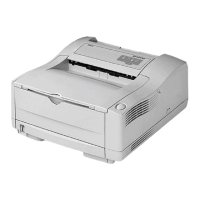
Oki B 4600n
2 pages
Print Icon
To Next Page IconTo Next Page
Loading...

Questions and Answers

  • E
    Eric StevensSep 12, 2025
    Why do pages curl excessively from Oki Printer?
    • A
      andrew54Sep 12, 2025
      Excessive curling of pages from your Oki Printer can be due to several reasons: you might be printing on the wrong side of the paper, so turn the paper over in the tray, installing it print side down. Moisture in the paper or improper storage can also cause this, so avoid storing paper in areas of excessive temperature and humidity and keep it in protective wrapping. High humidity can also be a factor; the recommended operating humidity is 20-80%.
  • L
    Linda GrantSep 9, 2025
    Why is my Oki Printer printing darker than usual?
    • M
      Mrs. Christy KelleySep 10, 2025
      If your Oki Printer's print is darker than usual, the darkness setting is likely too high. Change the darkness setting to a lower level.
  • B
    bartondaisySep 8, 2025
    Why are bold characters smeared on my Oki Printer?
    • D
      David EdwardsSep 8, 2025
      If bold characters and dark lines are smeared on your Oki Printer's output, it's likely that the toner is low. Install a new toner cartridge to resolve this.
  • J
    John BakerSep 7, 2025
    How to fix distorted print on Oki Printer?
    • S
      Sarah YoungSep 7, 2025
      Distorted print from your Oki Printer may be due to a paper path, lamp assembly, or fusing unit problem. Generate a cleaning page. Contact service.
  • J
    James DavidsonAug 23, 2025
    How to fix Oki Printer input jam?
    • K
      Katherine FordAug 23, 2025
      To resolve an input jam on your Oki Printer: start by removing the paper tray, then remove any crumpled or folded paper. Also, check and remove any paper from the underside of the printer. Finally, replace the paper tray. After removing the damaged paper, the printer should resume printing.
  • S
    Shannon WardSep 5, 2025
    What causes vertical white streaking on Oki Printer?
    • E
      Eric JonesSep 5, 2025
      Vertical white streaking or faint areas on pages printed by your Oki Printer can occur when the toner is low and does not distribute properly, or the drum is worn out. Replace the toner cartridge. Check the drum and replace it if necessary. Contact service.
  • E
    Edward HarrisonSep 4, 2025
    How to fix oblong area of faint print on Oki Printer?
    • S
      stephanieolsenSep 4, 2025
      An oblong area of faint print on each page from your Oki Printer is likely due to using paper exposed to high humidity. Try changing paper stocks, checking the paper storage environment, or using a dehumidifier; also, check the toner level.
  • C
    Christopher BeckSep 3, 2025
    What causes repetitive marks on Oki Printer pages?
    • D
      Daniel GravesSep 3, 2025
      Repetitive marks on pages printed by your Oki Printer are often caused by a damaged image drum cartridge, which results in marks every 1.6 inches (4.06 cm) due to surface nicks and scratches. Generating a cleaning page may temporarily resolve the issue.
  • E
    Eric HernandezSep 2, 2025
    What to do if Oki Printer prints all black?
    • J
      Jason LaneSep 2, 2025
      If your Oki Printer is printing all black pages, it indicates a hardware problem. Contact service.
  • J
    Joseph ClineAug 31, 2025
    Why does my Oki Printer print pages with grey background?
    • N
      Nicholas KingSep 1, 2025
      A grey background on pages printed by your Oki Printer is often due to static electricity, typically caused by dry environments, which makes toner stick to the background. To fix this, change the paper to a smoother laser bond or use a humidifier.

Oki B 4600n Specifications

General IconGeneral
Paper Capacity (Standard)250 sheets
Processor266 MHz
Memory (Standard)32 MB
Memory (Maximum)288 MB
CompatibilityWindows, Mac, Linux
FunctionPrint
Print Resolution (Black)600 x 600 dpi
ConnectivityEthernet, USB
Monthly Duty CycleUp to 50, 000 pages
Printer LanguagePCL 6, PCL 5e, PostScript 3
TypeLaser Printer

Related product manuals