OKIDATA B410 • 420 • 430 IMAGE UNIT & TONER CARTRIDGE REMANUFACTURING INSTRUCTIONS
© 2013 UniNet Imaging Inc. All trademark names and artwork are property of their respective owners. Product brand names mentioned are intended to show compatibility only.
UniNet Imaging does not warrant downloaded information. Unauthorized sale, reproduction or distribution of this article is prohibited. For additional support, please contact techsupport@uninetimaging.com
www.uninetimaging.com
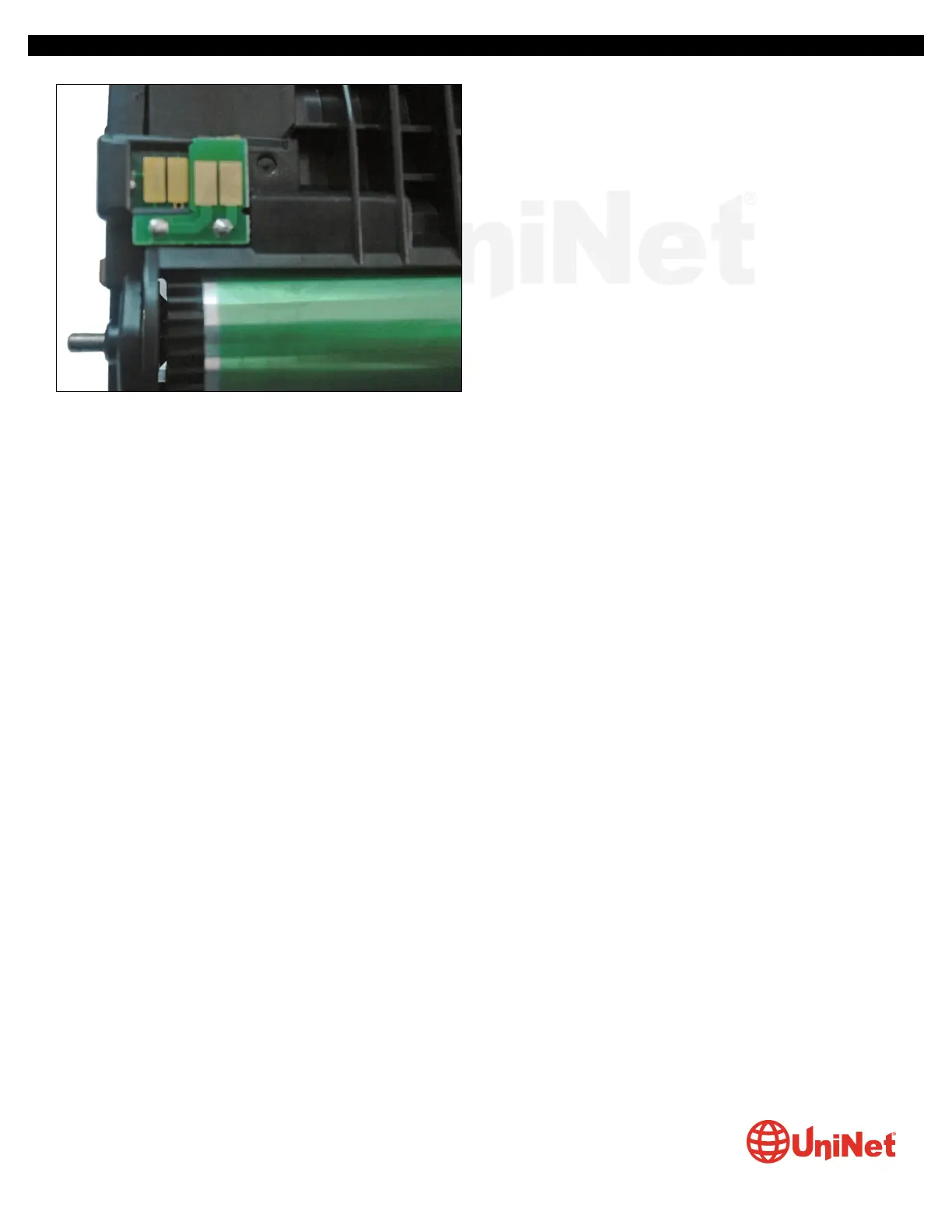
INSTALLING THE SMARTCHIP FUSE TO RESET THE IMAGE
UNIT SUBSTITUTION ERROR
25. Remove the backing paper and attach the new chip on top
of the two contacts as shown.
TONER CARTRIDGE - DISASSEMBLY, CLEANING & REFILL
Required Tools:
1. Thermal punch or drill with cutting cup (20 mm diam.)
2. Toner vacuum
Required Supplies:
1. Replacement toner (2,500 or 7,000 pages)
2. Replacement smartchip for toner cartridge (2,500 or 7,000 pages)
3. Round self-adhesive seal (30 mm diam.)
Toner cartridges available for Okidata B410/420/430/460/480 use regionalized chips, with respective OEM part numbers
listed as follows.
USA/AMERICAS
3,500 pages 43979101
7,000 pages 43979201
EUROPE
3,500 pages 43979102
7,000 pages 43979206
Given that the toner supply slots at the bottom of these cartridges are very narrow, cleaning and refilling is very cumbersome.
In this case, we recommend drilling a hole in the flat top section of the cartridge. From there, carry out the cleaning and refilling
process.



 To Next Page