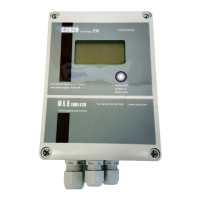
Z2000/C2020 Tank Gauge Setup Guide – PD02/0001 Rev.01 Feb/2017
Z2000 / C2020 Tank Gauge Set-Up
To Calibrate the Gauge, Open the front cover 4 screws, Connect the Tank
Probe, and Power the unit.
Toggle the calibration switch, top right marked CAL (LK2)
The first screen to show is a “Cube Tank” Middle Button Scrolls through Tank Type Options
Hidden Button Scrolls through settings.
values by using the hidden button to select the
value to change, then use the other two buttons
to Decrease (LEFT) or Increase (RIGHT)the value.
You Must Scroll to YES and use the
button to Confirm YES for all Screens
Alarm Trigger points and SG setting
1
You must scroll to YES and
Confirm YES with Left
hand Hidden Button to
save your values.
(hidden Button) selects Option
Right two buttons change value as in 5


 To Next Page
 Need help?
 General