Z2000/C2020 Tank Gauge Setup Guide – PD02/0001 Rev.01 Feb/2017
Z2000 / C2020
Tank Gauge Set-Up Stage 2
10
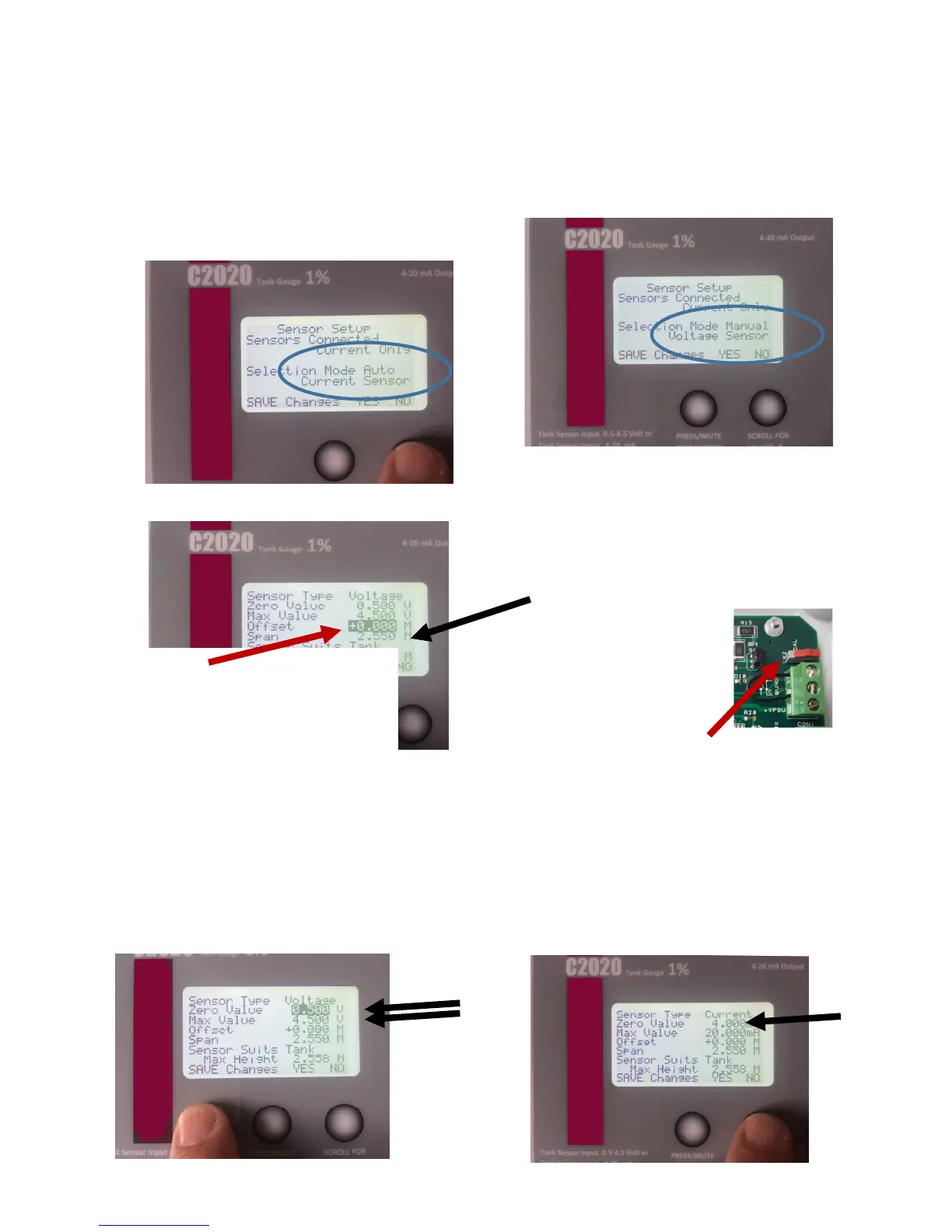
Sensor Selection. The sensor should be
connected at this point. This should be
Automatic and read either Voltage or Current
If it needs to be changed, Use the Right Button
to Set Voltage or Current as required.
Calibration, the Sensor Settings can be
adjusted to suit the individual sensor.
For Voltage sensor, the Zero Value and the Max Value can
be adjusted up or down to suit.
(Both must be adjusted the same amount)
If Gauge reads LOW, increase these values. (max +0.05)
If Gauge reads HIGH, decrease these values (max -0.05)
For Current sensor, the Zero Value can be
adjusted up or down to suit. (Max self adjusts)
If Gauge reads LOW, increase these values.
If Gauge reads HIGH, decrease these values
High Accuracy Calibration Adjustments (Advanced settings)
Sensor “Span”.
As Standard, this comes set for 2.55 M.
Change this to suit the sensor range
you have
C22 = 2.55 M C23 = 3.0 M
C25 = 5.0 M C27 = 10.0 M
Curser (Hidden button) YES
END
Toggle the switch.
Gauge returns to
Standard Readings
11
Sensor Offset.
How far from the bottom of the tank is the
sensor positioned. Enter this here.
As standard we would recommend 50 mm
which is 0.05 M Curser Confirm YES
Now use Right Button to Sensor Type screen
12


 To Previous Page
 Loading...