35
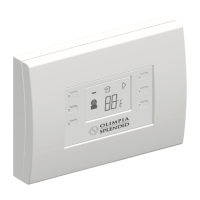
WIRELESS B1012
I
GB
F
TROUBLESHOOTING
CAUSES
• Batteries not inserted
• Batteries inserted incorrectly
• Batteries worn out
• Wrong communication
encoding
• Incorrect installation position
of transmitter or receiver
• Wireless B1011 serial
interface not activated
• Wireless B1011 serial
interface damaged or not
connected to the air-conditioner
• Malfunction - air-conditioner
blocked
• The set temperature is too
close to the room temperature
SOLUTIONS
• Insert the batteries
• Make sure the batteries are in
the right way (polarity)
• Replace the batteries
• Check that the wall-mounted
control panel encoding
settings match those of the
corresponding wireless B
1011 serial interface
• Make sure the wall-mounted
control panel and/or the serial
interface have not been
installed near metallic or
conductive objects (monitors,
reinforced walls, etc) or
electric cables
• Make sure the selected
operating commands on the
B1011 receiving unit allow
communication with the wall-
mounted control panel
• Check the connection
between the wireless serial
interface and the air-
conditioner and ensure the
interface is functioning properly
• Check the operating modes of
the air-conditioner
• Increase or decrease the
desired room temperature to
heat or cool the room
PROBLEM
• The wireless B1012 wall-
mounted control panel does
not work
• The air-conditioner does not
respond to commands from
the wall-mounted unit
• The air-conditioner responds
to commands transmitted via
the wall-mounted unit, but
does not heat or does not
cool
GB


 To Next Page
 Loading...

